
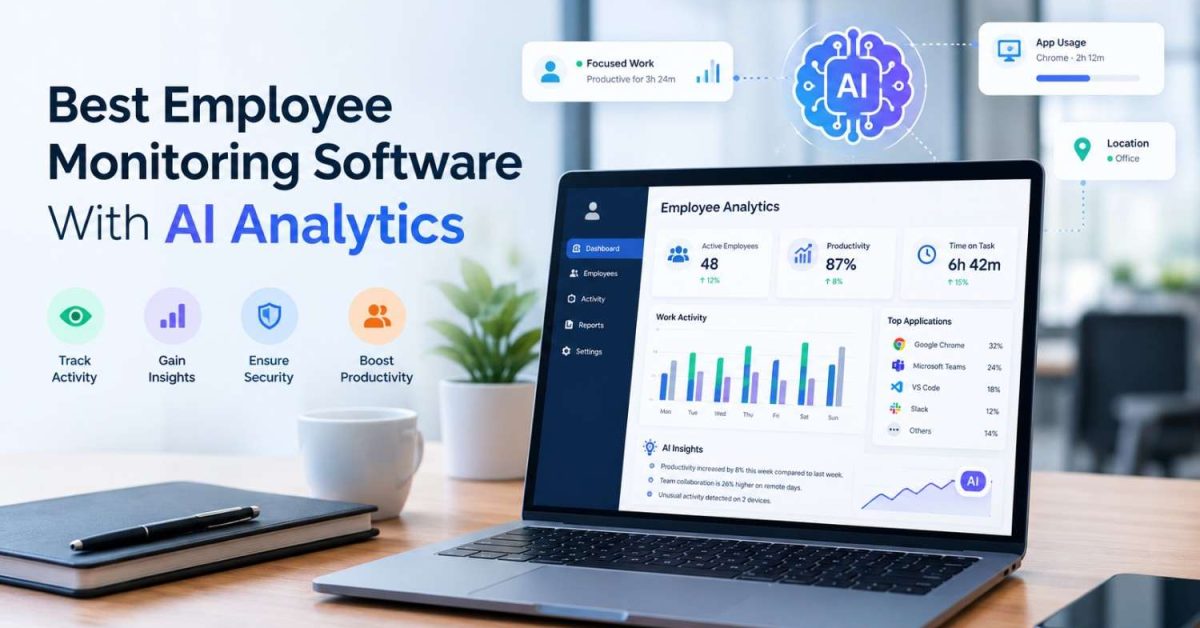
The best employee monitoring software with AI analytics turns raw activity data into clear insights you can act on.
Monitoring tools used to stop at screenshots, time tracking, and app usage reports. That left you sorting through hours of data to find what mattered.
In 2026, AI does much of that work for you. It spots work patterns, sorts time into categories, flags unusual activity, and shows where workloads are uneven. You get answers instead of spreadsheets.
But AI features vary a lot between tools. Some analyze productivity and workload. Others focus on automatic time categorization, AI tool usage, workforce forecasting, risk detection, or security. The right fit depends on your team, your goals, and how much visibility you need.
This guide compares seven of the best employee monitoring tools with AI analytics in 2026. For each one, we cover AI capabilities, monitoring features, pricing, and ideal use cases. By the end, you’ll know which one suits your organization.
Quick Overview
For any team looking for AI-integrated employee monitoring software, Apploye can be a top choice. It brings monitoring, workforce management, affordability, and AI-ready analytics into one platform.
It also covers some core monitoring features, including screenshots, app and URL tracking, activity analytics, timesheets, attendance, projects, payroll, and reporting. Moreover, integrated with MCP, which allows AI assistants to analyze Apploye workforce data.
Apploye offers an accessible pricing structure, with a free Starter plan for up to 10 users and paid plans starting at $4.50 per user/month with annual billing. This makes it a practical option for both small teams and growing businesses.
In the same place, other tools, like We360, emphasize Agentic AI workforce insights; ActivTrak focuses on productivity and AI adoption analytics. Rize uses AI for automatic work categorization, and Teramind combines monitoring with AI security and usage analytics.
Comparison of the Best Employee Monitoring Software With AI Analytics
| Software | Starting Price | AI Analytics Focus |
| Apploye | Free; $4.50/user/mo Elite | Workforce reports with AI analysis |
| We360 AI | ₹399/user/mo; ₹599 with AI | Workplace assessment, benchmarking, risk scoring |
| ActivTrak | Custom | AI adoption, impact, and workforce insights |
| Rize | $9.99/user/mo | AI categorization, focus, productivity insights |
| WebWork Tracker | $3.99/user/mo | Activity categorization and AI performance analysis |
| VSG-365 AI | $7/user/mo Pro | AI recommendations and workforce analytics |
| Teramind | Contact sales | Behavioral analytics, AI governance, risk/security |
Prices and features are based on current vendor information available in 2026. Some enterprise features and AI capabilities require specific plans or add-ons.
1. Apploye: Best Overall for Employee Monitoring with AI Analytics
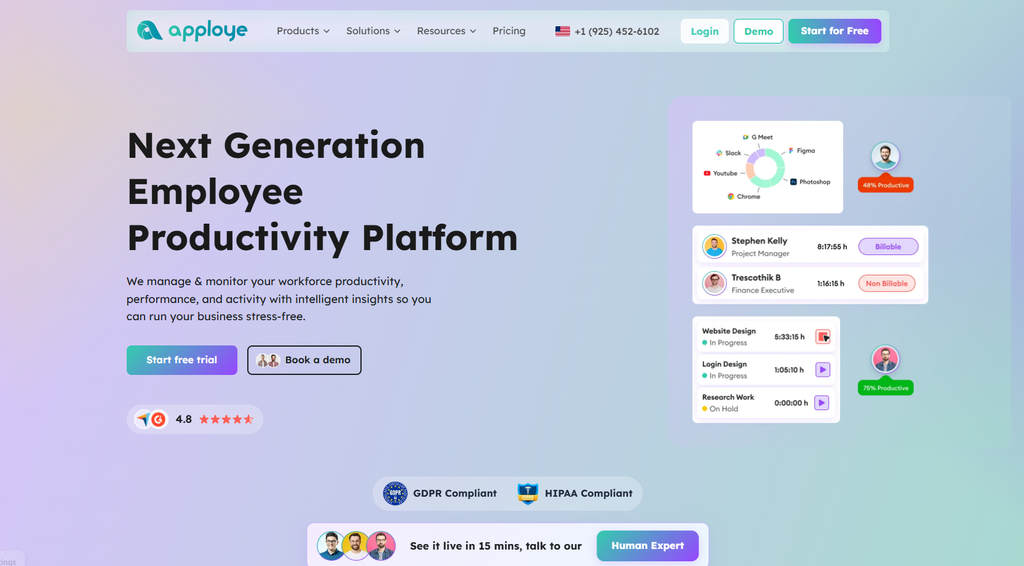
Apploye combines detailed employee monitoring data with AI-assisted analytics, making it a strong option for teams that want to turn workforce activity into useful insights.
Its new MCP server connects Apploye with AI assistants such as ChatGPT, Claude, Codex, and Cursor. This feature allows managers to ask questions about tracked hours, activity trends, app and URL usage, projects, screenshots, payroll, and other workforce data in plain language.
This can be particularly useful for teams that hire remote developers, as managers can gain clearer insights into work activity and project progress without manually reviewing multiple reports.
Apploye also provides teams with a practical way to analyze employee monitoring data without manually reviewing multiple reports. For example, you can ask:
- Who logged the most hours this week?
- How has activity changed over time?
- Which apps does your team use most?
- Is a project close to its budget?
The MCP tools are read-only, so the AI can analyze the available data without changing it.
The Starter plan is free employee monitoring software for up to 10 users, while Elite starts at $4.50 per user/month with annual billing. Power costs $8 per user/month annually and includes API access, up to 60 screenshots per hour, and real-time instant screenshots.
Apploye also has native AI features in development. Its Power plan currently lists AI report analysis and an AI chatbot as coming-soon features, so its current AI offering is best described as AI-assisted analytics rather than a fully built-in AI productivity engine.
Best Features of Apploye
- Time tracking
- Activity analytics
- Screenshot monitoring
- App and URL tracking
- Productive-time reports
- Categorized work time
- Real-time active view
- Timesheets
- Project and task tracking
- Custom reports
- Client invoicing
- Payroll
- Integrations
- AI report analytics
- AI chatbot
Pricing Details
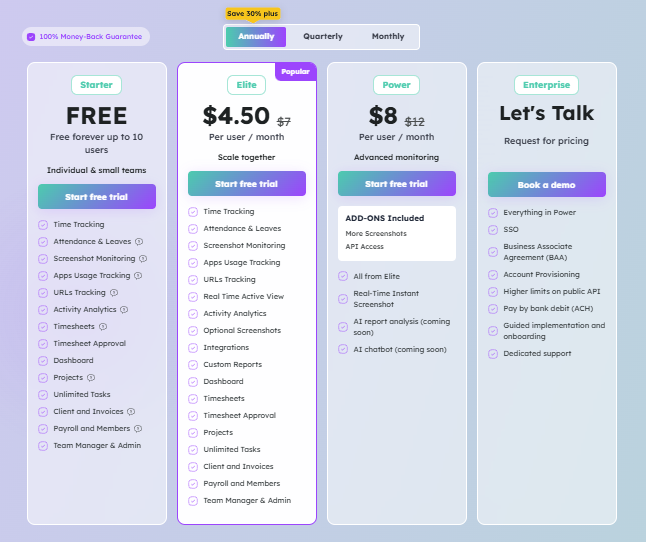
- Starter: Free forever for up to 10 users.
- Elite: $4.50/user/month when billed annually.
- Power: $8/user/month when billed annually.
- Enterprise: Custom pricing.
Positives About It
- AI analytics
- Free plan for up to 10 users
- Strong mix of monitoring and time tracking
- App and URL tracking
- Projects and tasks
- Client invoicing and payroll
- Affordable paid upgrade
Negatives
- Some advanced monitoring features require higher plans
- The free plan has limits on screenshots, activity history, and app/URL tracking
Best For
Remote teams, agencies, startups, BPOs, outsourcing companies, and businesses that want employee monitoring connected with projects, timesheets, payroll, or client billing.
2. We360 AI: Best for AI Workforce Analytics
We360.ai is a good fit if you want AI built into your workforce analytics, not added on later.
Its Pro + AI plan adds three AI features to the core monitoring tools:
- AI Workplace Assessment
- AI-based industry benchmarking
- AI-based risk scoring
You also get the monitoring basics. These include activity tracking, app and website usage, workload, productivity goals, attendance, screenshots, and real-time workforce data. Together, they show you how your team is working and where it may need support.
Enterprise plans add:
- Up to 60 screenshots per hour
- SSO and Active Directory integration
- Longer data retention
- On-premise deployment
Pricing is per user each month:
- Pro: ₹399
- Pro + AI: ₹599
- Enterprise: custom
A 7-day free trial is available, so you can test the AI features with your own team before you commit. But unlike Apploye, it doesn’t have any permanent free plan.
3. ActivTrak: Best for AI Adoption Analytics
ActivTrak is a good fit if you want to understand how your team works and how AI is changing that work. It looks at app and website activity to show productivity, utilization, workload, and wider workforce trends.
Its AI Insights add-on focuses on how your employees use AI tools and what that means for productivity. It helps you:
- Measure AI adoption across teams
- See how deeply AI is built into daily workflows
- Identify approved and unapproved AI tools
That last point matters if you want to support AI use while keeping your company’s tools and data in check.
One thing to know before you buy: AI Insights is in Early Access. It is available with eligible Workforce Management and Productivity Optimization packages. ActivTrak sets pricing by package, so you’ll need to contact them for a quote.
4. Rize: Best for AI-Powered Productivity Insights
Rize is a good fit if you want a lighter way to see how work time is spent. It tracks time on apps and websites automatically. It then uses AI to sort and summarize that activity for you.
Its AI features include:
- Automatic app and website tracking
- AI auto-categorization and tagging
- AI chat
- Productivity and focus insights
- AI automations
The Pro plan also adds an AI efficiency dashboard and access to MCP servers.
Rize works best if you want clear visibility into your team’s work time without detailed monitoring. It keeps things simple and gives you a clear picture without much setup.
Pricing is billed annually. Basic costs $9.99 per month, Pro costs $23.99 per month, and Max costs $39.99 per month. Enterprise pricing is custom. A free trial is available, so you can try it before you commit.
5. WebWork Tracker: Best Affordable AI Monitoring Option
WebWork Tracker is a good fit if you want familiar monitoring tools with AI added on top. You get time tracking, screenshots, activity levels, app and website tracking, and productivity insights.
Its Smart Monitoring add-on uses AI to analyze your team’s activity. It flags performance that may need attention and sends short daily summaries, so you don’t have to review everything yourself.
You also stay in control of how monitoring works. You can adjust screenshot frequency and URL tracking, and you can blur screenshots. Tracking runs only while an employee’s timer is active, which helps your team feel respected and trusted.
WebWork’s pricing is set per user each month. Pro costs $3.99, Plus costs $6.39, and Premium costs $7.19. Smart Monitoring is an extra $2.50. WebWork also offers a 14-day free trial, so you can test it with your team first.
6. VSG-365 AI: Best for AI Workforce Insights
VSG-365 AI combines employee monitoring, workforce analytics, and AI recommendations. Its platform covers activity levels, workload balance, productivity goals, automatic reports, alerts, website utilization, screenshots, and real-time analytics.
Its Pro + AI offering adds advanced analytics and AI recommendations, giving managers an additional layer for interpreting workforce data rather than relying only on activity reports. VSG-365.ai has a free plan for up to 25 seats, while Starter costs $7/user/month and Pro costs $9/user/month. Enterprise pricing is custom, and the platform offers a 30-day free trial.
7. Teramind: Best for AI Security and Risk Monitoring
Teramind is a good fit if protecting sensitive data is a top priority for your organization. It combines detailed activity monitoring with security, insider-risk detection, and data loss prevention. It tracks activity across apps, websites, and other digital environments, and it gives you behavioral and forensic insights.
Its newer AI Governance features focus on how AI is used inside your company. They cover:
- AI usage
- AI data exfiltration
- Activity from autonomous AI agents
These dashboards show you how your employees use AI tools. They also alert you when sensitive information moves into AI platforms, so you can step in early and protect your data.
Teramind uses per-user licensing with a five-seat minimum. Starter, UAM, and DLP plans are available with monthly or annual billing. Annual billing includes one month free. Pricing varies with the number of monitored users, so you’ll need to get a quote based on your team size.
How to Choose Employee Monitoring Software With AI Analytics
AI is only useful when it answers a real management question. Before choosing a platform, look beyond the word “AI” and check what the software actually analyzes.
Check What the AI Analyzes
AI features vary significantly between platforms.
Some tools analyze productivity and focus. Others categorize apps and websites, calculate risk scores, measure AI-tool adoption, or provide security insights.
For example, Rize focuses on productivity and focus insights, while We360 AI adds AI workplace assessment and risk scoring. ActivTrak focuses on AI tool adoption and impact.
Look at the Monitoring Depth
AI analytics depend on the data a platform collects.
If you need detailed employee activity monitoring, look for features such as:
- Screenshots
- App tracking
- URL tracking
- Activity levels
- Time tracking
- Attendance
- Real-time activity
- Workload analytics
If you only need productivity trends, a lighter platform such as Rize may be enough.
Check Whether AI Is Included
Some platforms include AI in the main subscription. Others sell it as an add-on.
WebWork, for example, charges $2.50 per user/month for Smart Monitoring AI. ActivTrak’s AI Insights is also an add-on for eligible packages. We360.ai includes its AI features in the Pro + AI plan.
Always calculate the total cost instead of comparing only the base subscription.
Consider Privacy
More data does not automatically mean better analytics.
Check whether the software records screens, captures URLs, logs keystrokes, or collects only activity metadata. Also, check whether employees know what is being monitored and whether administrators can control monitoring settings.
For example, Rize does not record screens or keystrokes, while Teramind provides much deeper activity telemetry and keystroke logging on higher plans.
Your monitoring practices should also follow the privacy, employment, and workplace rules that apply to your business and employees.
Look for Actionable Reports
AI analytics should make data easier to understand.
Look for reports that answer practical questions such as:
- Where is employee time going?
- Which applications are used most?
- Which activities are productive?
- Are workloads balanced?
- Are there unusual activity patterns?
- How are employees using AI tools?
- Are productivity patterns changing?
A tool that only collects more data without turning it into useful insights may not solve the underlying problem.
Consider Projects and Client Work
For agencies and service businesses, employee monitoring is only part of the workflow. Connecting employee data with AI automation workflows can help teams reduce manual reporting and turn workforce insights into useful operational actions.
Using time tracking software for consultants and agencies to connect tracked time with projects, tasks, clients, invoices, and payroll makes the information more useful.
Apploye is particularly relevant here because its paid plans combine monitoring with projects, tasks, client invoicing, and payroll.
Frequently Asked Questions
What is the best employee monitoring software with AI analytics?
Apploye is a strong all-in-one option for teams that need employee monitoring, time tracking, activity analytics, projects, and reporting. Its AI report analysis and chatbot are currently listed as coming soon.
What is AI employee monitoring software?
AI employee monitoring software uses artificial intelligence to analyze employee activity data. Depending on the platform, it can identify productivity patterns, classify applications, assess risk, or analyze AI-tool usage.
Does AI employee monitoring record keystrokes?
Not always. Monitoring depends on the software. Rize does not log keystrokes, while Teramind includes keystroke logging in its UAM plan.
Is there affordable AI employee monitoring software?
Yes. WebWork starts at $3.99 per user/month for its Pro plan, while its Smart Monitoring AI add-on costs $2.50 per user/month. Apploye also has a free Starter plan for up to 10 users, although its dedicated AI report analysis and chatbot are currently listed as coming soon.
Final Words
The right option depends on what you want AI to do.
Apploye suits you if you want monitoring, time tracking, projects, and analytics in one platform. Its AI reporting is still developing, but its analytics and monitoring tools are available today.
We360 AI focuses on AI workplace assessment, benchmarking, and risk scoring. ActivTrak helps you understand AI adoption and how it relates to productivity.
Rize works well if you want productivity analytics with a lighter touch. WebWork Tracker pairs affordable monitoring with AI categorization and Smart Monitoring. VSG-365.ai offers workforce analytics, workload visibility, and AI recommendations. Teramind fits you if you need deeper monitoring, security controls, and AI governance.
If you want everything in one place, Apploye is a broad, low-cost choice. Its free plan supports up to 10 users, and paid plans start at $4.50 per user monthly, billed annually.
