
Sitting all day gets old fast. Your back aches, your focus drifts, and by mid-afternoon you are slumped in your chair. But buying a whole new standing desk feels like a big step. That is exactly the gap a riser desk fills.
A riser desk lets you stand and sit throughout the day without replacing the desk you already own. This guide explains what a riser desk is, how it works, the different types, the real benefits and drawbacks, how it compares to a full standing desk, and how to set one up the right way. By the end, you will know whether a riser desk is the right choice for you.
What Is a Riser Desk?
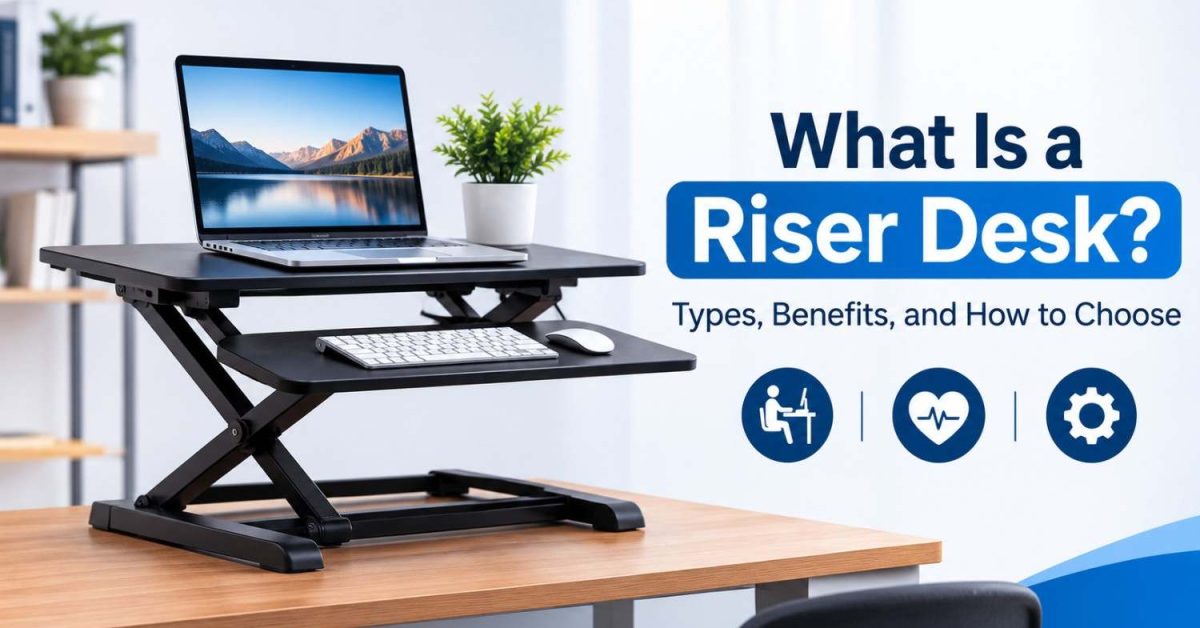
A riser desk is a height-adjustable platform that sits on top of your existing desk. It lifts your monitor, keyboard, and mouse up to standing height, so you can switch between sitting and standing whenever you want, without buying a new desk.
You will see a few different names for the same thing. “Riser desk,” “desk riser,” “desktop riser,” and “standing desk converter” all describe the same product: a unit that turns an ordinary sitting desk into a sit-stand workstation. We clear up the naming in more detail below.
The appeal is simple. You keep the desk you like, spend far less than you would on a full electric standing desk, and still get the main benefit of a sit-stand setup, which is the freedom to change position through the day. For renters, people on a budget, or anyone who just wants to try standing work before committing, a riser desk is an easy first step.
How Does a Riser Desk Work?
A riser desk works by raising and lowering a platform that holds your screen and input devices. You lift it when you want to stand, lower it when you want to sit, and your gear moves with it. The difference between models comes down to the mechanism that does the lifting.
- Gas spring (pneumatic): The most common type. You squeeze two handles to release the platform, and a gas cylinder helps it glide up or down smoothly. It is quick and needs little effort.
- Spring-loaded or lever: Similar to gas spring, using spring tension and a release lever to adjust height.
- Manual crank: You turn a handle to raise or lower the surface. Slower, but simple and reliable.
- Electric (motorized): You press a button and a motor does the work. Some models include height presets, USB ports, or power outlets. These cost more but are the easiest to use, especially if you have limited hand strength.
Most risers also use a two-level design, with a top shelf for the monitor and a lower tray for the keyboard and mouse. This keeps your screen at eye level while your hands stay at elbow height, which is exactly what good ergonomics calls for.
Riser Desk vs Desk Riser vs Standing Desk
The names in this category get confusing, so here is the plain-English version.
| Term | What it means |
|---|---|
| Riser desk / desk riser | A platform placed on top of an existing desk to add standing height |
| Desktop riser / standing desk converter | The same thing, just different names |
| Standing desk | A complete desk whose whole surface raises and lowers |
In short, a riser desk and a desk riser are the same product, and both sit on top of a desk you already have. A standing desk is a full piece of furniture that replaces your desk entirely. One adapts what you own; the other is a whole new desk. Knowing this difference is the key to shopping without confusion.
Types of Riser Desks
Riser desks come in several shapes to fit different desks, budgets, and gear. Here are the main types.
| Type | Best for |
|---|---|
| Single-tier | Simple, portable setups and laptops |
| Dual-tier | The most common; separates monitor and keyboard |
| Full-width | Dual monitors or larger workstations |
| Compact | Small desks and shared spaces |
| Electric | Effortless, button-press adjustment with presets |
Single-tier risers are one flat platform. They are light and easy to move, but they do not separate your keyboard from your monitor, so they suit laptops best.
Dual-tier risers are the most popular design. The top shelf holds your monitor and the lower tray holds your keyboard and mouse, which keeps your posture correct at both sitting and standing height.
Full-width models span most of your desk and support two monitors or a larger setup. Compact models have a smaller footprint for tight or shared spaces. And electric risers swap the manual lift for a motor, often with saved height presets, for the smoothest experience.
Benefits of a Riser Desk
A riser desk is popular for good reasons. Here is what it actually does for you.
- You move more. The biggest benefit is simply being able to change position. Alternating between sitting and standing breaks up long stretches of stillness, which is the real goal of a sit-stand setup.
- Better posture. When the monitor sits at eye level and the keyboard at elbow height, you stop hunching toward the screen. Good positioning eases strain on your neck and back.
- Lower cost. A riser typically runs about $150 to $400, well below the price of a full electric standing desk. You get sit-stand flexibility for a fraction of the cost.
- Keep your desk. You do not have to give up a desk you already like or spent money on. The riser just sits on top.
- Easy to set up and move. Most arrive ready to use, with no assembly. If you rent or rearrange often, you can pick it up and move it.
- A low-risk way to try standing work. If you are not sure sit-stand working suits you, a riser lets you test it without a big investment.
It is worth being realistic about health claims, though. Standing more can help you feel less stiff and stay more alert, but a riser is not a magic fix for weight or back problems. The benefit comes from moving and switching positions regularly, not from standing all day.
Drawbacks to Know
A riser desk is not perfect, and the honest downsides are worth knowing before you buy.
- It can wobble. At full standing height, some risers feel less stable than a solid desk, especially cheaper models or ones loaded with heavy gear. This matters most for large monitors.
- It takes up desk space. The riser’s base sits on your desk surface, so you lose some usable area, and the footprint can feel bulky on a small desk.
- Weight limits. Risers hold only so much. Capacity typically ranges from about 20 to 45 pounds, so a dual-monitor or heavy setup can exceed what a smaller model handles.
- Manual effort. Non-electric models take a little effort to raise and lower, and very cheap mechanisms can feel stiff over time.
- Fixed desk height stays fixed. When you sit, you are still using your original desk height, which a riser cannot change.
None of these are dealbreakers for most people, but they explain why some users eventually move up to a full standing desk.
Riser Desk vs Full Standing Desk: Which Should You Choose?
Both let you sit and stand, so how do you pick? It comes down to your budget, your setup, and how long-term you want to go.
| Factor | Riser Desk | Full Standing Desk |
|---|---|---|
| Cost | Lower (about $150 to $400) | Higher (often $400 and up) |
| Setup | Sits on your existing desk | Replaces your desk |
| Stability | Good, but can wobble at height | Very stable |
| Desk space | Takes up some surface | Full surface available |
| Best for | Renters, budget buyers, testing sit-stand | Heavy daily use, multiple monitors, long-term setups |
Choose a riser desk if you want an affordable, no-commitment way to stand more, you like your current desk, you rent, or you are testing whether sit-stand work suits you.
Choose a full standing desk if you sit at your desk six or more hours a day, you run multiple monitors or lots of accessories, you want maximum stability, or you want a permanent, long-term setup. Many people start with a riser and upgrade later once they know sit-stand working is for them.
How to Set Up a Riser Desk Correctly
A riser only helps if you position it well. Bad setup can cause the very aches you are trying to avoid. Follow these basics.
- Monitor at eye level. The top of your screen should sit at or just below eye level, about an arm’s length away, so you look slightly down and keep your neck neutral.
- Elbows at about 90 degrees. When standing or sitting, your forearms should be roughly parallel to the floor, with wrists straight and relaxed on the keyboard.
- Stand tall, not stiff. Keep your shoulders relaxed and your weight balanced on both feet. An anti-fatigue mat helps if you stand on a hard floor.
- Alternate, do not overdo it. The goal is to switch positions, not to stand for hours. Standing all day causes its own leg and back fatigue.
A helpful guideline from Cornell University ergonomics is the 20-8-2 rule: in each half hour, sit for 20 minutes, stand for 8, and move or stretch for 2. You can read the original guidance from Cornell University Ergonomics. The exact numbers matter less than the habit of changing position often, which is what keeps you comfortable and focused.
How to Choose a Riser Desk
Before you buy, check these points so the riser fits your desk and your gear.
- Weight capacity. Add up the weight of your monitors and accessories, then pick a riser rated comfortably above that.
- Surface size. Measure your monitor and keyboard footprint, and make sure both tiers have room. For two monitors, look at full-width models.
- Height range. Confirm the riser raises high enough for your height. Taller users need a taller maximum.
- Mechanism. Decide between manual (cheaper, needs effort) and electric (pricier, effortless). Gas spring is a good middle ground.
- Stability. Read reviews for wobble complaints, especially if you use large screens. Some models clamp to the desk for extra steadiness.
- Your desk’s strength. Make sure your existing desk can hold the riser plus your gear without strain.
Match these to your needs and you will avoid the most common regret, which is a riser that is too small, too wobbly, or too weak for the setup you actually have.
Conclusion
A riser desk is the simplest way to turn a sitting desk into a sit-stand workspace. It costs less than a full standing desk, needs no assembly, and lets you keep the desk you already own, which makes it an easy first step toward moving more during the workday.
It is not flawless. Risers can wobble, take up desk space, and hold only so much weight. But for most people who want to stand more without a big investment, a well-chosen riser does the job nicely. Set it up at the right height, switch positions often, and you will feel the difference.
Frequently Asked Questions (FAQs)
What is a desk riser?
A desk riser is a height-adjustable platform that sits on top of your existing desk and lifts your monitor and keyboard to standing height. It is the same thing as a riser desk or standing desk converter.
Are riser desks worth it?
For most people, yes. A riser desk gives you the main benefit of a sit-stand setup, the freedom to change position, at a much lower cost than a full standing desk, without replacing your furniture.
What is the difference between a riser desk and a standing desk?
A riser desk sits on top of your current desk and raises just your work surface. A standing desk is a complete desk whose entire surface adjusts. The riser adapts what you own; the standing desk replaces it.
How much weight can a riser desk hold?
Most riser desks hold about 20 to 45 pounds. Add up your monitors and accessories and choose a model rated comfortably above that, especially for dual-monitor setups.
How high should a riser desk be?
Set it so the top of your monitor is at or just below eye level and your elbows are at about a 90-degree angle when typing. The right height keeps your neck and wrists neutral.
Are riser desks good for your back?
They can help by letting you change position and improve posture, which eases the stiffness of long sitting. But the benefit comes from moving regularly, not from standing all day, which can cause its own fatigue.
What is the 20-8-2 rule?
It is a sit-stand guideline from Cornell University ergonomics: in each half hour, sit for 20 minutes, stand for 8, and move or stretch for 2. It is an easy way to remember to switch positions often.
