
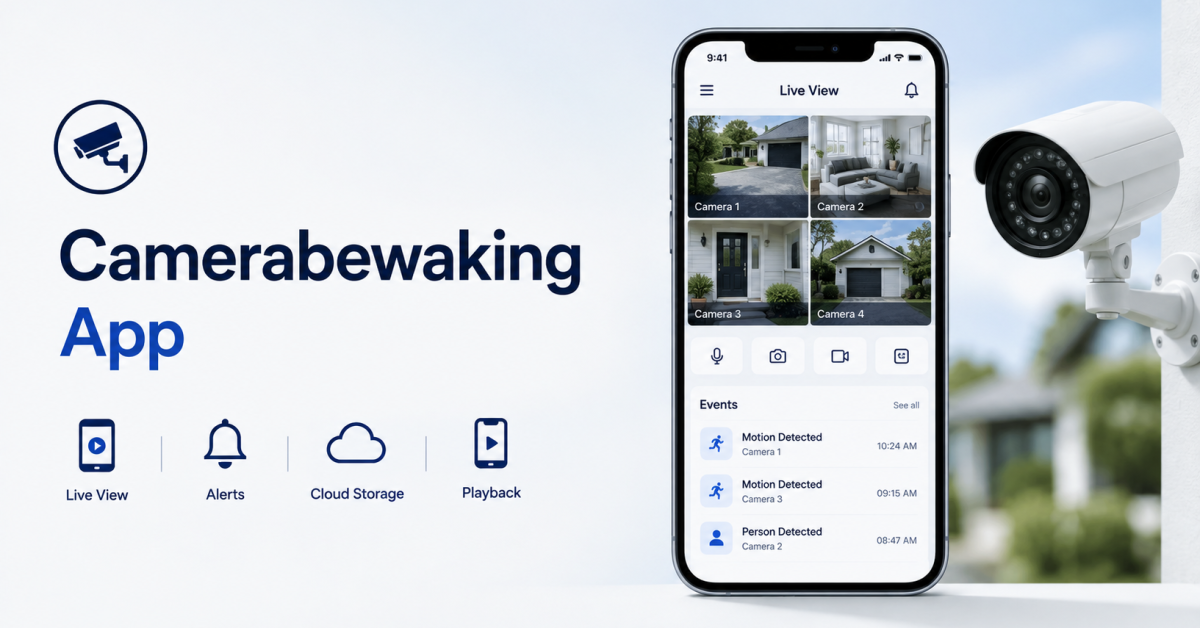
A security camera is only useful if you can see what it captures when it matters. That is where a camerabewaking app comes in. It connects your security cameras to your phone or tablet, giving you live video, motion alerts, recorded events, two-way audio, and, in newer systems, AI-powered detection.
One point to clear up first: Camerabewaking is not the name of one specific app. The word is Dutch and translates to camera surveillance or CCTV. In practice, people searching for a “camerabewaking app” want a mobile security camera or video surveillance app.
The right app depends less on the longest feature list and more on what you are protecting. A homeowner watching a front door has very different needs from a retailer monitoring several stores. This guide explains how these apps work, which features actually matter, how the most popular options compare on price and storage, and when a custom surveillance app makes more sense.
What Is a Camerabewaking App?
A camerabewaking app is a mobile application used to remotely view, manage, and receive alerts from security cameras. Depending on the system, it may offer live video, recorded event playback, motion notifications, two-way audio, multiple camera views, storage controls, and intelligent event detection.
Think of the camera as the device that collects visual information and the app as the interface that makes that information useful.
When someone approaches your front door, for example, a modern system can detect the movement, classify what triggered it, record a clip, and send a notification to your phone. You can then open the app to watch live or review the recording.
This applies well beyond home security. Similar mobile surveillance systems are used in retail stores, offices, warehouses, rental properties, parking areas, and multi-location businesses.
How Does a Camerabewaking App Work?
Most systems follow the same basic flow:
Camera → Network → Processing and Storage → Mobile App → You
The camera connects through Wi-Fi, Ethernet, cellular data, or a hub. Footage is processed on the camera or in the cloud and stored locally, in the cloud, or both. The app connects to that system and sends a push notification when something happens, so you never have to watch the feed all day.
How Cameras Connect: Wi-Fi, RTSP, P2P, and Cloud Relay
Cameras reach your phone in a few different ways:
- Wi-Fi or Ethernet links the camera to your network and covers most setups.
- RTSP (Real-Time Streaming Protocol) is a standard the IETF describes as a protocol for setting up and controlling the delivery of real-time data such as audio and video. Many IP cameras support it for local viewing or for connecting to third-party recorders.
- P2P (peer-to-peer) and cloud relay handle remote viewing. When you are away from home, your phone usually connects through the manufacturer’s servers or a direct peer connection rather than reaching the camera on its own.
IP Cameras vs Traditional CCTV
Traditional CCTV cameras send video over cables to a local DVR, so viewing usually means being near the recorder or setting up complex remote access. IP cameras send video over a network, which makes the app your access point from anywhere. That flexibility is the main reason most modern home systems are IP based.
Local vs Cloud Storage
Not every system handles video the same way.
Local systems store footage on a microSD card, NVR, DVR, or hub. They reduce the need for cloud subscriptions and give you more direct control over recordings.
Cloud-connected systems send footage to the provider’s servers. Remote access is easier, and recordings survive even if the camera or recorder is damaged or stolen.
Many modern systems combine the two, so the right mix depends on whether you value convenience, control, backup, cost, or privacy most.
NVR vs VMS for Larger Setups
As camera counts grow, two terms come up often. An NVR (network video recorder) is a dedicated box that records footage from IP cameras on your network. It suits homes and small businesses. A VMS (video management software) is a software platform for managing many cameras, often across several sites, with features like user roles, event search, and integrations. Larger organizations usually lean toward a VMS.
Features That Actually Matter
Spec sheets make most security apps look alike. In daily use, these features make the real difference.
Live View and Frame Rate
Live view should open quickly and stay stable. Resolution gets most of the attention, but frame rate matters too, because a choppy stream turns fast movement like a passing car or a package grab into a blur.
Smart Motion Alerts and Activity Zones
Basic motion detection reacts to shadows, trees, animals, and headlights. Better apps let you draw activity zones so you can ignore a busy street or a swaying branch. The goal is not more notifications. It is fewer, more relevant ones.
AI Detection
Traditional motion detection only asks whether pixels changed. AI models can classify what moved, such as a person, vehicle, animal, or package.
This gives each alert context. “Motion detected” tells you something moved. “Person detected at front door” gives you something you can act on. Keep in mind that AI features often sit behind a paid plan. Arlo, for example, states that its person, animal, and vehicle detection requires an Arlo Secure plan.
Night Vision
Infrared night vision lets cameras capture usable footage in darkness. It matters most for unlit driveways and back doors.
Recording and Event History
Before choosing a system, check where recordings are stored and what stays available without a subscription. Common options include cloud recording, microSD storage, local hubs, NVRs, or a mix of local and cloud. Also check retention limits and export options.
Two-Way Audio
Two-way audio lets you hear and speak through the camera. It is handy for deliveries and visitors, but recording sound raises legal questions covered in the privacy section below.
Pan, Tilt, and Zoom Control
PTZ cameras can be moved and zoomed from the app. One PTZ camera can cover an area that would otherwise need two or three fixed cameras, which is useful for yards, parking lots, and shop floors.
Smart Home Integration
Many apps connect with Amazon Alexa, Google Assistant, or Apple Home. Apple’s HomeKit Secure Video is worth knowing about if privacy is a priority. According to Apple, video is analyzed privately by your home hub, recordings are end-to-end encrypted, the last 10 days are available in the Home app, and the footage does not count against your iCloud storage. It requires an iCloud+ plan, and the number of supported cameras depends on your plan size.
Multi-Camera and Multi-Location Management
One camera is easy to manage. Ten cameras across several properties are a different problem. Businesses should look closely at dashboards, user roles, camera grouping, event search, access permissions, and whether multiple sites can live under one account.
Home and Business Use Cases
At Home
- Deliveries: Get an alert when a package arrives and talk to the driver through the camera.
- Family: Check that kids got home from school or that an elderly parent is doing well, without a phone call.
- Pets: Use an indoor camera to check on pets during the workday.
- Travel: Review your property while away instead of relying on a neighbor.
At Work
- After-hours checks: Confirm a store or warehouse is secure without driving over.
- Theft prevention: Visible cameras discourage shoplifting, and recorded events help investigate losses.
- Multiple locations: Owners can monitor several sites from one app and one login.
- Operations and compliance: Footage can confirm opening and closing procedures were followed.
In business settings, the camera app stops being a simple video viewer and becomes part of a larger security and operations system. Some companies go further and connect camera events to their other tools through AI automation and workflow integration, so an alert can create a ticket or notify the right manager automatically.
Popular Camerabewaking Apps Compared (2026)
Prices below come from each provider’s official site as of October 2026. Plans change often, so confirm current pricing before you buy.
- Ring: Best for Alexa households and Ring hardware owners. New devices get a free 30-day trial. After that, Ring Solo costs $4.99 a month for recording and smart alerts for people, packages, and vehicles.
- Arlo Secure: Best for buyers who want sharp video and strong AI detection. Arlo’s person, animal, and vehicle detection requires a paid Arlo Secure plan. Arlo changes its plans often, so check its site for current rates.
- Google Home (Nest): Best for homes already using Google devices. Newer Nest cameras include up to 6 hours of free event history (3 hours on older models). Google Home Premium Standard costs $10 a month and adds 30 days of event history. Advanced costs $20 a month and adds AI event descriptions.
- eufy Security: Best for buyers who want to avoid subscriptions. Many eufy cameras record locally to a HomeBase hub or microSD card with no monthly fee. Optional cloud storage starts at $2.99 a month per camera.
- Wyze: Best for budget buyers. The free app includes live view and motion alerts with a 5-minute cooldown between events. Cam Plus costs $2.99 a month per camera and adds cloud recording and AI detection.
- ADT: Best for people who want professional monitoring rather than watching alerts themselves. ADT’s self-setup monitoring starts at $24.99 a month.
- SimpliSafe: Best for buyers who want a full DIY alarm system with cameras. Self-monitoring with camera recordings costs 33 cents a day (about $10 a month), and professional plans with video verification start at $1.66 a day.
- Blink: Best for renters and simple setups. Without a plan, live view is limited to 5 minutes and clips are not saved. The Standard plan costs $3.99 a month per device for up to 60 days of cloud storage and person detection.
- Reolink: Best for no-fee recording and flexible hardware, including cellular cameras. Cameras record free to a microSD card or Reolink NVR. Its Classic cloud plan costs $6.99 a month for up to 5 cameras.
- AlfredCamera: Best for turning an old phone into a camera. The free version offers local storage only, with ads and up to 2 cameras. Premium costs $5.99 a month and adds HD video and cloud storage.
Quick Comparison Table
| App | Best For | Free Local Storage | Paid Plans From | Subscription Needed For |
|---|---|---|---|---|
| Ring | Alexa homes | Only with Alarm Pro | $4.99/mo | Recording and smart alerts |
| Arlo Secure | AI detection | Varies by camera | Check Arlo’s site | AI detection and cloud video |
| Google Home (Nest) | Google homes | Limited free history | $10/mo | Longer history and AI features |
| eufy Security | No subscription | Yes (HomeBase or microSD) | $2.99/mo per camera | Cloud backup only |
| Wyze | Budget buyers | Yes (microSD) | $2.99/mo per camera | Cloud recording and AI |
| ADT | Professional monitoring | No | $24.99/mo | Monitoring |
| SimpliSafe | Alarm plus cameras | No | About $10/mo | Camera recordings |
| Blink | Renters | With Sync Module 2 | $3.99/mo per device | Cloud clips and detection |
| Reolink | No ongoing fees | Yes (microSD or NVR) | $6.99/mo | Cloud backup only |
| AlfredCamera | Old phones | Yes | $5.99/mo | HD video and cloud storage |
How to Choose the Right Camerabewaking App
Start with the hardware. Most security camera apps are built around one manufacturer’s cameras, so picking an app separately from the camera can lead to compatibility problems. If you already own cameras, confirm which apps and connection methods they officially support.
Next, decide what should happen after the camera detects something. Do you only need a live alert, or do you need searchable recordings? Local storage, cloud backup, or both? AI that can tell people from cars and animals?
Here are some quick starting points:
- Renting with one entrance? Blink, Wyze, or AlfredCamera keep costs and setup low.
- Many cameras on a large property? eufy or Reolink avoid paying a fee for every camera.
- Want a real person to respond? ADT and SimpliSafe offer professional monitoring.
- Already using Google or Amazon devices? Nest or Ring keeps everything in one app.
Businesses should go further and look at multiple user accounts, role-based permissions, audit trails, integrations, event search, and multi-site management.
Finally, calculate the ongoing cost, not just the camera price. Extended history, advanced detection, and professional monitoring usually require recurring plans. If possible, test the free tier for a week before paying.
Setting Up a Camerabewaking App
Setup varies by brand, but most consumer systems follow a similar process.
- Check your internet speed. Cameras constantly upload video, so upload speed matters most. According to Ring’s Wi-Fi recommendations, each device needs about 2 Mbps of upload speed for 1080p video, 10 Mbps for 2K, and 15 Mbps for 4K. Add the numbers for all your devices to find the total you need.
- Install the official app and create an account. Use a strong, unique password.
- Pair the camera. Most apps use a QR code or device discovery, then connect the camera to your network or hub.
- Configure alerts and zones. Set notification preferences, activity zones, recording settings, video quality, and access for other users.
- Set up storage. Choose a cloud plan, insert a microSD card, or connect a hub or NVR.
- Test it. Walk through the monitored area during the day and at night. Confirm that important motion triggers an alert, harmless movement does not flood your phone, the live feed opens reliably, and recordings can be retrieved.
Privacy, Security, and Recording Laws
A hacked game app is inconvenient. A hacked camera app can expose video from inside your home or business, so treat it like your bank app.
Protect Your Account and Footage
- Use unique passwords and turn on any extra sign-in protection the provider offers.
- Give family members or staff their own accounts with limited permissions instead of sharing one login.
- Remove access as soon as someone no longer needs it.
- Keep the app and camera firmware updated.
- Check whether footage is encrypted and how long the provider keeps it.
Privacy can also shape the setup itself. Some AI processing can run on the camera or a local hub, so not every frame needs to go to the cloud.
Know the Recording Rules
Video and audio recording are treated differently under US law. Federal law (18 U.S.C. § 2511) generally allows recording a conversation when at least one party consents. Some states are stricter. California, for example, requires all parties to consent before a confidential conversation is recorded (Penal Code § 632). This matters if your cameras record sound, especially in shared or work spaces.
Businesses should also think about where cameras point, who is being recorded, how long footage is kept, and who can access it. Rules vary by state and situation, so check what applies to your location. Since the word camerabewaking is Dutch, it is also worth noting that cameras in the EU must follow GDPR rules.
Common Problems and Fixes
- Delayed alerts. Check the camera’s connection, your phone’s notification permissions, and any battery saving settings that close apps in the background. Arlo’s official setup guidance, for example, specifically tells users to make sure push notifications are allowed on their phone.
- Camera keeps going offline. This usually points to power, Wi-Fi coverage, or router issues. If only one camera has the problem, check signal strength at that spot before replacing the device.
- Too many notifications. Adjust activity zones, sensitivity, schedules, and AI filters where supported.
- Poor video quality. Check your upload speed first, then clean the lens, then review the resolution setting and install any pending firmware updates.
- Missing recordings. Find out before an incident whether the camera records continuously or only on events, where recordings are stored, how long they last, and whether recording depends on an active subscription.
Existing App or Custom Build?
When an Existing App Is Enough
For most homeowners, a well-supported camera ecosystem is far more practical than anything custom. If you need a few cameras, standard alerts, live viewing, recording, and basic smart home integration, existing products solve the problem well. Small businesses with standard security needs can often use commercial systems too, especially when every location uses the same hardware.
When a Custom Camerabewaking App Makes Sense
Imagine a company running warehouses across several states. Management does not just want to watch cameras. It wants one dashboard that recognizes specific events, sends different alerts by severity, limits each manager to their own sites, connects incidents to existing software, and keeps footage according to company policy. That is no longer a consumer camera problem.
A custom build makes sense when you need:
- Specialized AI or computer vision detection
- Support for existing or mixed camera hardware
- Custom alert and escalation workflows
- Role-based access for teams
- Multi-location dashboards
- Integration with internal business systems
- Specific data retention or storage rules
- Analytics that commercial apps do not offer
A serious system needs more than a mobile interface. Typical building blocks include RTSP for pulling streams from IP cameras, WebRTC for real-time viewing in browsers and apps, secure sign-in and role-based access, push notifications, storage, APIs, logging, and computer vision models that can run on the edge or in the cloud.
The key is that AI should solve a specific problem. Adding facial recognition or dozens of detection types is not automatically better if the business only needs reliable person detection at a few entrances. For organizations with a validated need, custom AI development can build detection and workflows around the business instead of forcing it into a consumer product.
Final Thoughts
A camerabewaking app is essentially a mobile interface for camera surveillance, giving you remote access to live video, alerts, recordings, and other security features. The term comes from Dutch, but the need is simple: people want a reliable way to watch their cameras from their phones.
Homeowners should pick a reliable ecosystem that fits their storage and privacy needs. Businesses should look deeper at permissions, multiple sites, integrations, and AI quality.
Looking ahead, the biggest shift is from recording everything to understanding what is happening. On-device AI and smarter filtering mean the best systems will not send more alerts. They will better decide which events matter, who needs to know, and what should happen next.
Frequently Asked Questions
1. Is Camerabewaking the name of an app?
No. Camerabewaking is a Dutch term for camera surveillance or CCTV, not the name of one official app. “Camerabewaking app” generally refers to any app used to monitor and manage security cameras.
2. Do these apps work when I’m away from home?
Yes. Cloud-connected and remote-access systems let you view your cameras from anywhere, as long as both the camera and your phone have an internet connection.
3. Do I need to pay monthly for a security camera app?
Not always. Most apps are free to download, and brands like eufy, Reolink, and Wyze support free local storage. Cloud recording, longer history, AI detection, and professional monitoring usually need a paid plan, with prices starting around $2.99 to $4.99 a month per camera as of October 2026.
4. Can AI reduce false security camera alerts?
Yes. AI detection can tell people, vehicles, animals, and packages apart on supported systems, so you get fewer alerts triggered by trees, shadows, or headlights.
5. Is local or cloud storage better?
Neither is better for everyone. Local storage gives you more control and can avoid monthly fees, while cloud storage offers easy remote access and an off-site copy if the camera is stolen. Many systems support both.
6. Can I use an old phone as a security camera?
Yes. Apps like AlfredCamera turn an old smartphone into a basic security camera. The free version uses local storage, and a paid plan adds HD video and cloud storage.
7. Can a business build its own camerabewaking app?
Yes. A custom system can combine streaming, secure access, recording, computer vision, and integrations with existing software. It makes sense when standard platforms cannot support the workflow.
8. What should I check before choosing a camerabewaking app?
Check camera compatibility, live view reliability, alert quality, storage options, privacy and account security, AI detection, multi-camera management, and ongoing subscription costs.
