
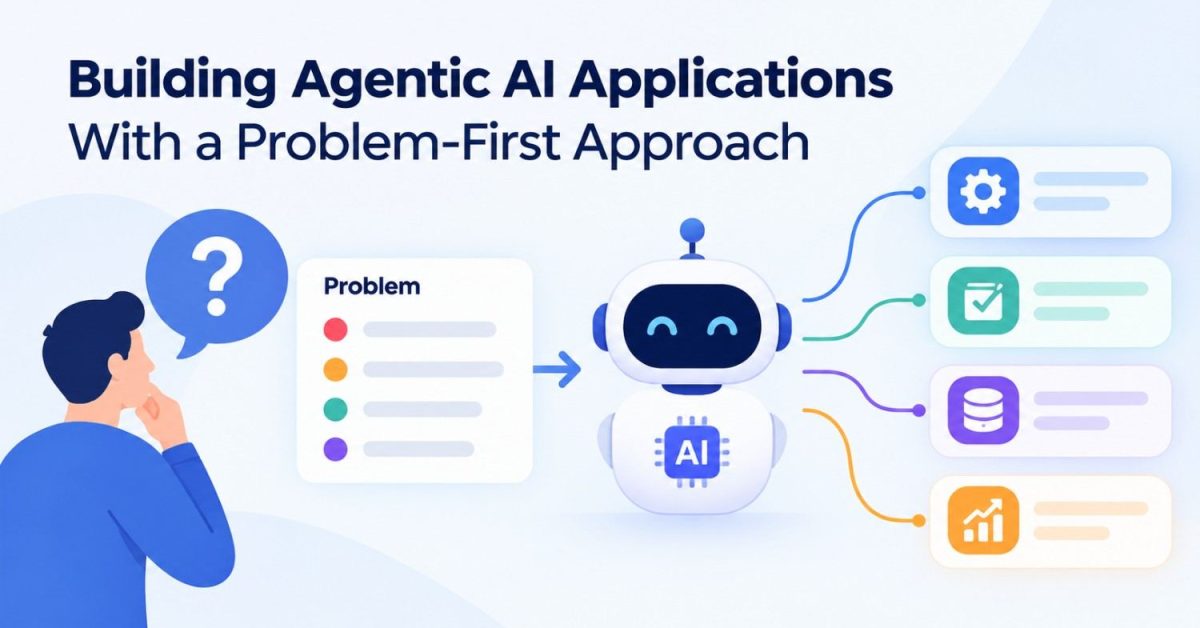
Most teams building AI agents start in the wrong place. They pick a framework, wire up a large language model, and then go looking for something to point it at. The result is an impressive demo that quietly fails in production, because it was never built around a real problem in the first place.
A problem-first approach flips that order. You start with the actual work a team is trying to get done, understand where it breaks, and add an AI agent only where ordinary software cannot cope. This guide walks through building agentic AI applications with a problem-first approach, step by step, with a worked example and the lessons real GitHub projects teach.
Why Most Agentic AI Projects Fail
The hype around AI agents has run far ahead of the results. Gartner predicts that over 40% of agentic AI projects will be canceled by the end of 2027, citing rising costs, unclear business value, and inadequate risk controls. Gartner also warns about “agent washing,” where vendors simply relabel old chatbots and automation scripts as agentic AI.
The pattern behind most failures is the same: the technology came first, and the problem came second. That leads to predictable traps.
- Picking the tool before the problem. A team decides to “build an agent” and then hunts for a use case to justify it.
- Using AI where plain code would do. An agent gets handed a fixed, rule-based task that a simple script would run faster, cheaper, and more reliably.
- Building one giant do-everything agent. A single agent is asked to handle a dozen responsibilities, so it becomes confusing, error-prone, and expensive to run.
When the starting point is the technology, the project struggles to deliver value because nobody defined what value would even look like.
What a Problem-First Approach Actually Means
A problem-first approach means you begin with the work, not the model. You study a real business problem and its workflow, decide what success looks like, and only then ask whether an AI agent is the right tool for any part of it.
In this mindset, ordinary deterministic code handles most of the workflow, because it is predictable and cheap. AI is reserved for the specific steps where normal software falls short: reading messy, unstructured input, interpreting ambiguous situations, or making judgment calls. This echoes Anthropic’s own advice in its guide to building effective agents, which recommends finding “the simplest solution possible, and only increasing complexity when needed.”
The goal is not to build the most advanced agent. It is to solve the problem with the least complexity that works.
The difference between the two mindsets is stark:
- Tool-first: “We have an agent framework. What can we build with it?” The scope is vague, success is undefined, and the project drifts.
- Problem-first: “Support response times are too slow. Which steps are the bottleneck, and which of them actually need intelligence?” The scope is concrete and success is measurable from day one.
That shift in the opening question is what separates projects that ship from projects that get quietly shelved.
Step 1: Map the Real Workflow
Before you choose any technology, map how the work actually happens today. Trace a single real task from start to finish, including the messy workarounds people use, not the clean version in a process document.
Write down each step: who does it, what information they need, what decision they make, and what they produce. The goal is to see the whole chain, because that is where you will spot the steps that are slow, error-prone, or dependent on human judgment.
Most teams are surprised here. The real workflow is almost always messier than the official one, full of copy-paste steps, side channels, and exceptions. You cannot automate a process you do not understand, so this map is the foundation for everything that follows.
Step 2: Find the Steps That Need Intelligence
With the workflow mapped, go through it step by step and sort each action into one of two buckets:
- Deterministic steps: fixed, rule-based actions with a clear right answer. Downloading a file, copying a field into a database, sending a templated email, or checking a value against a threshold.
- Judgment steps: actions that require reading, interpreting, or deciding. Understanding a customer’s intent, evaluating how well a résumé fits a role, or summarizing an unstructured document.
Deterministic steps do not need AI. They need reliable automation, which is faster and cheaper. The judgment steps are where an AI agent might earn its place. Separating the two is the single most important move in building agentic AI applications with a problem-first approach, because it tells you exactly where intelligence is needed and where it is waste.
Recruitment is another area where AI can support people with judgment-heavy tasks. For example, an AI interview assistant can help candidates practise questions relevant to a specific role, assess the clarity of their responses, and identify areas that may need further preparation.
Does This Problem Even Need an Agent?
Not every judgment step needs a full agent, either. There are three levels of solution, and you should always reach for the simplest one that works.
| Approach | Best for | Example |
|---|---|---|
| Plain code / automation | Fixed rules, high precision, predictable inputs | Moving data between systems, sending confirmations |
| A single LLM call | One-off interpretation with no tools or multi-step reasoning | Classifying an email as urgent or routine |
| An AI agent | Open-ended tasks needing tools, memory, and several decisions | Investigating a claim across multiple systems |
An agent earns its place only when a task is genuinely open-ended: when the number of steps cannot be predicted in advance, when it needs to call tools and react to what they return, and when it must adapt rather than follow a script. If a task is predictable, a workflow or a plain script will beat an agent on cost, speed, and reliability. When in doubt, start simpler. You can always escalate. For many steps, standard AI automation workflows will outperform an agent at a fraction of the cost.
Step 3: Design the Agent Around the Problem
Once you have confirmed that a step truly needs an agent, design it around that specific job. Three principles keep it reliable.
Give the Agent One Clear Responsibility
Keep the scope narrow. An agent that does one thing well, with defined inputs and expected outputs, is easier to build, test, and trust than one that tries to do everything. If you find yourself listing many unrelated duties, that is a sign to split it into several small, focused agents instead.
Connect the Agent to the Right Tools
An agent is, in Anthropic’s words, essentially “an LLM using tools based on environmental feedback in a loop.” The model does the coordinating and the deciding; the actual work happens through tools such as databases, APIs, search, and lookup services. Design those tools carefully, with clear documentation and sensible limits, because a vague or fragile tool is a common source of agent failure. Tool definitions deserve as much attention as your prompts. If you are new to how these pieces fit together, our guide to agentic frameworks covers the building blocks.
Build Safety Into the Workflow
Autonomy brings risk, so add guardrails from the start:
- Require human approval before major or irreversible actions.
- Set limits on API calls and spending to avoid runaway costs.
- Prevent endless loops with step caps and timeouts.
- Log every step the agent takes, so you can audit and debug it.
These controls are not optional extras. They are what separates a safe production agent from a liability.
Step 4: From Prototype to Production
A demo that works once on a clean input tells you almost nothing. Real-world input is messy, and agents can fail in ways traditional software does not, so testing and monitoring are where a problem-first project proves itself.
Build a set of reference cases, including the awkward edge cases, and measure how the agent actually performs. The metrics that matter in production include:
- Task success rate on real inputs
- Failed or incorrect tool calls
- How often the agent hands off to a human
- Cost and latency per task
- User feedback and corrections
This is often called evals-driven development: you define what good looks like, measure against it, and keep measuring after launch. Agents drift as inputs and models change, so monitoring is ongoing, not a one-time gate.
It also helps to roll out gradually. Start the agent in a shadow or suggestion-only mode, where it proposes actions that a human approves, before you let it act on its own. That way you gather real performance data without exposing customers to an agent that has not yet earned trust. Once the numbers hold up, you widen its autonomy step by step. Rushing straight to full autonomy is how small errors turn into public ones. An AI Agent Benchmark can further help businesses compare agent performance, accuracy, and ability to resolve customer support requests.
A Worked Example: Support-Ticket Triage
To make this concrete, take a common problem: a support team is drowning in incoming tickets and slow to route them.
Map the workflow. Tickets arrive by email. A person reads each one, decides how urgent it is, tags the topic, and assigns it to the right team. Simple questions they answer directly; complex ones they escalate.
Find the steps that need intelligence. Pulling the email, storing it, and sending an acknowledgment are deterministic. These need plain automation. The judgment step is reading the ticket to understand its intent, urgency, and topic.
Decide the approach. Classifying urgency and topic is interpretation, but it is a single decision per ticket with no tools needed. That is a single LLM call, not a full agent. So far, no agent is required at all, which is exactly the point.
Where an agent earns its place. Now suppose some tickets need investigation: checking the customer’s account, their order history, and known issues before drafting a reply. That is open-ended, needs several tools, and varies ticket to ticket. Here an agent fits. Give it one responsibility (draft a resolution for investigation-type tickets), connect it to the account lookup, order, and knowledge-base tools, and require a human to approve any reply before it is sent.
The result is a system where plain automation handles the plumbing, a cheap LLM call handles routing, and a focused agent handles only the genuinely complex tickets. That is the problem-first approach in practice.
Notice what did not happen here. Nobody built a single “support agent” to handle every ticket end to end. The problem was broken into parts, and each part got the cheapest tool that could do the job. The expensive, autonomous component is confined to the small slice of work that truly needs it, which keeps cost, risk, and complexity down while still solving the real bottleneck.
Learning From GitHub Projects
Searching for this topic, many people also look for GitHub repositories, and real open-source projects are a good teacher. The most useful ones are built on a few mature frameworks:
- LangGraph (from the LangChain team): models an agent as a graph of steps and state, which suits workflows that need control and clear structure.
- CrewAI: organizes multiple role-based agents that collaborate, useful when a task genuinely splits into distinct roles.
- OpenAI Agents SDK: a lightweight framework for building agents with tools and handoffs.
The lesson running through the good projects is consistency: they use small, focused agents with clearly defined tools and simple safety checks, rather than one sprawling agent. That said, Anthropic cautions that frameworks add abstraction that can hide what the model actually sees, so it is worth starting with direct LLM API calls to understand the mechanics before reaching for a framework. Study repos for how they structure tools and guardrails, not just how they wire up the model.
Common Mistakes to Avoid
- Starting with the tool, not the problem. The root cause of most failed projects.
- Using an agent where a script would do. Slower, costlier, and less reliable for fixed tasks.
- Building one giant agent. Narrow, single-purpose agents are far more dependable.
- Skipping safety and evals. Without guardrails and measurement, an agent is a production risk.
- Treating the demo as done. Real input is messy, so test and monitor continuously.
Conclusion
Building agentic AI applications with a problem-first approach is less about AI and more about discipline. Start with the real workflow, find the steps that truly need intelligence, use the simplest solution that works, and reserve agents for the genuinely open-ended, judgment-heavy work. Then design each agent around one clear job, give it good tools, wrap it in safety, and keep measuring it in production.
Do that, and you avoid the trap behind most canceled projects. You build agents that solve a real problem, instead of demos that solve none.
Frequently Asked Questions (FAQs)
What is a problem-first approach to building agentic AI applications?
It means starting with a real business problem and its workflow, then adding an AI agent only to the specific steps where ordinary code falls short. The problem drives the design, not the technology.
Why do so many agentic AI projects fail?
Most fail because they start with the tool instead of the problem. Gartner predicts over 40% of agentic AI projects will be canceled by the end of 2027, citing rising costs, unclear business value, and weak risk controls.
How do you know if a business process actually needs an AI agent?
Use an agent only for open-ended, changing tasks that need judgment, multiple tools, and several decisions. For fixed, rule-based steps, use plain automation. For a single interpretation step, a single LLM call is often enough.
What frameworks are used to build agentic AI applications?
Common open-source frameworks include LangGraph, CrewAI, and the OpenAI Agents SDK. Each helps structure agents, tools, and coordination, though it is worth understanding direct LLM API calls before adopting one.
What is the biggest mistake when building AI agents?
Building one giant agent that tries to do everything. It becomes confusing, error-prone, and costly. Small, focused agents with clear responsibilities and good tools are far more reliable.
