
Kling AI, Runway AI and Pollo AI all offer AI video generation, but their tools and workflows differ. This comparison looks at what each platform can do, how well it handles different creative tasks and what users can expect to pay.
Quick Answer: Which AI Video Generator Is Best?
- Runway AI: Best for creators who need advanced video editing, AI-powered shot modifications and greater creative control.
- Kling AI: Best for realistic movement, cinematic scenes, multi-shot storytelling and image-to-video generation.
- Pollo AI: Best for creators who want multiple AI models, different creative workflows and specialized tools for marketing, social media and anime content.
The main distinction is that Runway focuses more on creative production and editing, Kling emphasizes video generation and motion, and Pollo AI brings multiple generation models and content creation tools together on one platform.
Kling vs Runway vs Pollo AI: Quick Comparison
| Comparison | Kling AI | Runway AI | Pollo AI |
|---|---|---|---|
| Main strength | Realistic motion and storytelling | Creative control and video editing | Multi-model access and workflow flexibility |
| Generation | Text-to-video, image-to-video, reference-based video | Text-to-video, image-to-video, video editing | Multiple text-to-video and image-to-video models |
| Key features | Keyframes, Omni Reference, camera controls, native audio | Gen-4.5, Aleph 2.0, Act-Two, Edit Studio | Multiple AI engines, Marketing Studio, specialized creative apps |
| Output | Up to 4K and 30-second generation with Kling 4.0 | Model-dependent resolution and duration; 4K upscaling | Depends on the selected model |
| Best for | Cinematic clips and dynamic scenes | Filmmaking and post-production | Marketing, social media and varied content |
| Pricing | Free credits and paid memberships | Free tier and paid credit-based plans | Free tier and paid credit-based plans |
In short, Kling AI prioritizes video generation, Runway offers a more production-oriented environment, and Pollo AI combines different generation engines with dedicated content creation tools.
1. Pollo AI: Best for Multi-Model Access and All-in-One Content Creation
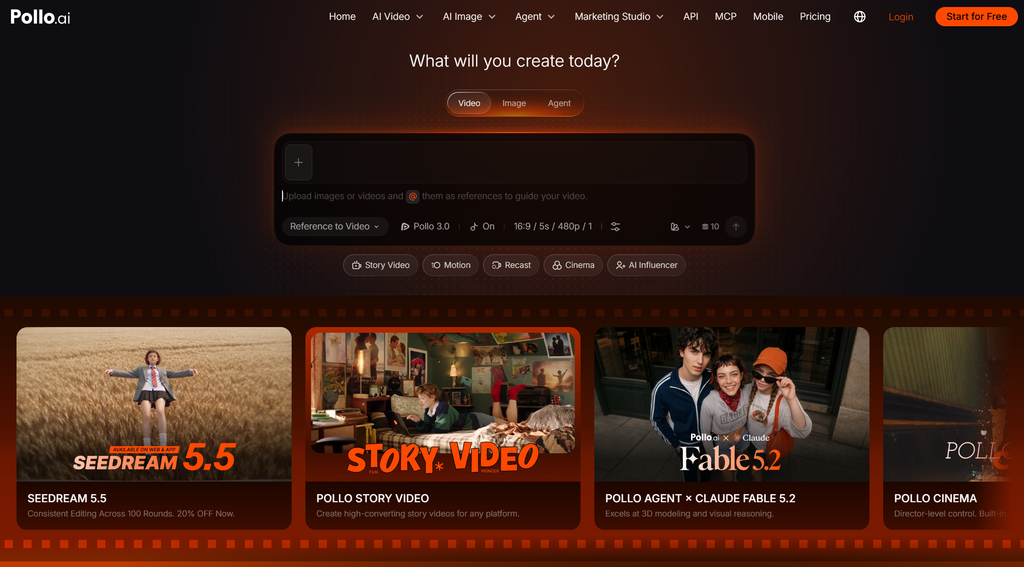
Unlike Kling AI and Runway AI, Pollo AI is an AI creative suite rather than a platform built around one proprietary video model. It brings together multiple generation engines, including Kling, Runway, Sora, Veo, Seedance and others, so creators can explore different approaches without maintaining separate accounts for each platform. Model versions and available settings depend on the current integration.
This model variety is useful when different projects call for different visual results. A creator can compare models for realistic product animation, cinematic scenes or stylized social media content instead of relying on one engine for every task.
Beyond model access, Pollo AI offers dedicated workflows for specific content needs:
- Marketing Studio: Photo to Video Ads, URL to Video Ads, UGC Video Ads, Script to Video Ads and Product Video
- Creative tools: Anime videos, story videos, music videos, AI image generation and photo editing
This makes it possible to move between content formats within one workspace.
Performance and Practical Uses
Pollo AI suits creators who produce several types of content rather than focusing on one video format. For example, an e-commerce team can turn product photos into video showcases, generate UGC-style ads and test different models for campaign variations. An independent creator can compare Kling with other available engines to see which produces the most suitable motion or visual style for a project.
Advantages and Limitations
Its main advantage is workflow flexibility. Users can explore multiple models and access specialized templates without constantly switching platforms.
However, model access does not mean every engine offers the same controls or output quality. Performance depends on the selected model, and accessing a model through Pollo AI does not necessarily include all the advanced editing functions available on its original platform. Runway also offers selected third-party models, including Kling 4.0, through its paid plans, so multi-model access is not exclusive to Pollo AI.
Pricing
Pollo AI offers a free tier and paid subscription plans with allocated credits. Generation costs vary by model, video duration, output quantity and resolution. Subscription credits do not roll over to the next billing cycle, so users who generate content irregularly should estimate their monthly usage before choosing a plan.
Best For
Beginners, marketers, e-commerce teams and creators who want to experiment with different AI models and produce multiple types of content in one workspace.
2. Kling AI: Best for Realistic Motion and Cinematic Video Generation
Kling AI, developed by Kuaishou, focuses on realistic videos with natural movement, detailed environments and consistent visual elements. It supports text-to-video, image-to-video and reference-based generation, so creators can start with a written concept, an existing photo or multiple visual assets.
Its latest Kling 4.0 model adds several improvements in generation control:
- Videos up to 30 seconds in a single generation
- Up to 10 keyframes per video
- Up to 15 reference assets through Omni Reference
- 720p, 1080p and 4K output
- Two-channel stereo audio and improved lip-sync
- Camera directions such as tracking, panning and orbiting
Performance and Practical Uses
Kling is particularly useful when movement and visual continuity matter. A fashion brand can animate a model wearing a specific outfit, use reference images to preserve the product’s appearance and generate a sequence with different camera movements. Filmmakers can use keyframes to guide character actions and scene transitions in short cinematic sequences.
Advantages and Limitations
Its realistic motion, reference controls, longer generation duration and synchronized audio make it suitable for more involved video projects. However, complex scenes still require careful prompting and review. Although Kling includes video editing features, creators who need extensive timeline-based post-production may prefer a dedicated editing environment.
Pricing
Kling offers limited free credits, with paid memberships for more generations and advanced features. Costs depend on the model, resolution and video duration, so frequent 4K or longer generations can require a larger credit budget.
Best For
Filmmakers, advertisers and creators who prioritize realistic movement, cinematic camera work and image-to-video storytelling.
3. Runway AI: Best for Creative Control and AI-Assisted Video Editing
Runway AI takes a broader approach to video production by combining AI generation, character performance tools and footage editing. Its Gen-4.5 model supports text-to-video and image-to-video generation, with an emphasis on prompt adherence, realistic movement and visual consistency. For creators who need to keep a recognizable character or environment across multiple shots, its reference-based workflows help guide the results.
One of Runway’s biggest strengths is editing. Aleph 2.0, available through Edit Studio, lets users modify existing footage with text prompts and image references. It can handle clips up to 30 seconds at 1080p, make localized changes, replace backgrounds, adjust lighting, remove unwanted objects and apply edits across multiple shots. If you’re working with damaged clips, see our guide to AI video repair as well.
Act-Two adds another option by transferring facial expressions, gestures and body movements from a recorded performance to a character image or video.
Performance and Practical Uses
Runway is particularly useful when creators already have footage that needs modification rather than complete regeneration. A marketing team can update the background of an existing product ad, change the product’s color or create seasonal variations without organizing another shoot. Filmmakers can use Act-Two to transfer an actor’s performance to an animated character while keeping the original timing and expressions.
Advantages and Limitations
Its combination of generation, performance capture and targeted editing gives creators more control over production. However, its many tools and settings take time to learn. Credit consumption is another consideration, especially with editing-intensive models: Aleph 2.0 costs 140 credits per five-second edit, compared with 60 credits per five seconds of Gen-4.5 generation.
Pricing
| Plan | Monthly Billing | Annual Billing |
|---|---|---|
| Free | $0 (125 one-time credits) | — |
| Standard | $15/month | $12/month |
| Pro | $35/month | $28/month |
| Max | $95/month | $76/month |
The actual amount of video you can produce depends on the model you choose and its credit requirements.
Best For
Filmmakers, video editors and marketing teams that need AI-generated footage alongside precise editing and character performance controls.
Which AI Video Generator Should You Choose?
The best choice depends on your production requirements:
- Choose Kling AI if realistic motion, cinematic camera movement, multi-shot generation and synchronized audio are your main priorities. It’s especially good at turning still images and visual references into detailed video sequences.
- Choose Runway AI if your project involves editing existing footage, maintaining character consistency, transferring performances or making targeted changes across multiple shots.
- Choose Pollo AI if your workflow involves different video styles, multiple AI models, product ads or social media content, and you don’t want to commit to a single generation engine.
For someone who regularly works across different video formats and wants to compare models, Pollo AI is a practical starting point. Creators with a clear need for advanced footage editing or cinematic image animation may find Runway or Kling more directly suited to their projects. Whichever you choose, you’ll likely need to resize your videos for each social platform before publishing.
Before choosing a platform, compare its generation credits, video quality, ease of use and commercial usage terms. One option worth comparing is Renderforest image to video AI, which turns still images into short animated clips and pairs the output with templates for ads and social posts.
Conclusion
Kling AI, Runway AI and Pollo AI offer different approaches to AI video creation. Kling is a strong option for realistic, controlled video generation, while Runway is better suited to workflows that involve generating and refining footage. Pollo AI takes a broader approach by combining multiple models with dedicated tools for marketing, social media and other creative projects.
Rather than choosing solely by output quality or subscription price, consider how often you generate videos, which editing controls you need and whether you work with one format or several. If you’re still exploring AI video workflows, trying the available models on Pollo AI is a straightforward way to compare results before settling on one generation engine.
