
TL;DR: SendPulse is the best-value service for creating a WhatsApp chatbot in 2026. It is an official WhatsApp Business API provider and Meta Partner, and its Pro plan starts at $12/month with a no-code builder, CRM, AI assistant, and in-chat payments included (WhatsApp messages are billed separately). WATI fits e-commerce stores, respond.io fits multichannel sales and support teams, ManyChat fits Instagram-first creators, and Twilio fits developers who want to code a custom bot and pay per message.
On October 1, 2026, Meta started charging for the replies businesses send inside WhatsApp’s 24-hour customer service window once a number goes past 1,000 free service messages a month, according to Meta’s WhatsApp pricing documentation. For a messenger that more than 3 billion people use every month, that single change turned “Which chatbot service should I use?” from a feature question into a budget question.
The choice is harder than it looks. Some services are no-code builders with a monthly plan; others are developer APIs that charge per message, and each one handles WhatsApp’s own fees differently. Pick the wrong model, and you either pay for features you never use or end up hiring a developer to finish the bot.
The pressure to automate is real: Gartner predicts that by 2029, agentic AI will resolve 80% of common customer service issues without human intervention. US businesses have one extra constraint. WhatsApp has more than 100 million monthly users in the US, yet Meta does not deliver marketing templates to US phone numbers, so a bot for American customers has to work through service replies, utility updates, and conversations customers start themselves.
This guide compares five services that cover the main ways to build a WhatsApp chatbot: WATI, respond.io, SendPulse, ManyChat, and Twilio. For each one, you’ll find who it’s ideal for, 10 key features, every plan with its price, the free plan or trial, how message fees are billed, a Capterra rating, and honest pros and cons.
How We Chose the Best WhatsApp Chatbot Services for 2026
Every service on this list had to meet the same criteria, checked on each vendor’s own website:
- Official WhatsApp Business API access: The service connects through Meta’s WhatsApp Business Platform, not an unofficial workaround that puts your number at risk of a ban.
- A way to build the bot: A no-code builder for marketers, or an API and flow tool for developers.
- AI features: AI agents, an AI assistant, or a clear path to connect your own model.
- Transparent pricing: A published price for every plan, plus a clear explanation of how WhatsApp message fees are billed.
- Free plan or free trial: A way to test before paying, with the limits stated.
- Integrations: CRM, e-commerce, and automation tools a growing business already uses.
- Independent ratings: A verified rating on Capterra.
WhatsApp Chatbot Platforms Comparison Table for 2026
The table compares the five services on the same criteria, using each one’s cheapest plan that includes WhatsApp chatbots.
| Criteria | WATI | respond.io | SendPulse | ManyChat | Twilio |
|---|---|---|---|---|---|
| Official WhatsApp API | Yes, official API setup | Yes, verified BSP | Yes, official provider, Meta Partner | Yes, Meta Business Partner | Yes, officially supported API |
| No-code bot builder | Yes | Yes, Workflows (Growth+) | Yes | Yes | Low-code (Twilio Studio) |
| AI features | AI credits; Astra AI agents (add-on) | AI Agents, AI Assist | AI assistant, ChatGPT integration | Manychat AI (Pro+) | Connect your own AI |
| Free plan | No | No | Yes, without WhatsApp | Yes, without WhatsApp | No |
| Free trial | 7 days | 7 days, no card | 7-day WhatsApp trial, card needed | 14 days (Essential, Pro) | Yes, no card |
| Entry price with WhatsApp (monthly) | $69/mo (Growth) | $199/mo (Growth) | $12/mo (Pro, 500 subscribers) | $39/mo (Pro) | $0.005 per message |
| Entry price (annual billing) | $59/mo | $159/mo | $9.60/mo | $29/mo | No subscription |
| WhatsApp message fees | Extra, WATI rate card | Extra, Meta fees by usage | Extra, Meta fees per message | Extra, prepaid wallet | Extra, Meta fee pass-through |
| Capterra rating | 4.6 (207 reviews) | 4.6 (60 reviews) | 4.6 (773 reviews) | 4.6 (72 reviews) | 4.4 (514 reviews) |
| Best for | E-commerce, D2C | Multichannel teams | SMBs wanting API, CRM, payments | Instagram-first creators | Developers, custom bots |
The 5 Best WhatsApp Chatbot Services in 2026
1. WATI
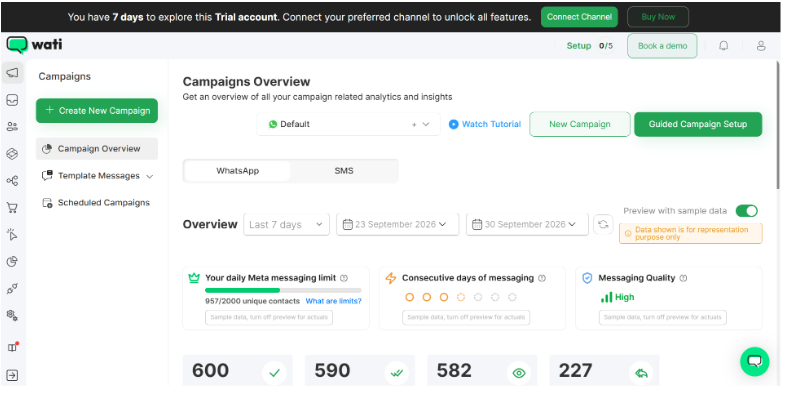
Ideal for: E-commerce and D2C brands that want a ready-made WhatsApp inbox with broadcasts, Shopify flows, and click-to-WhatsApp ads, without hiring a developer.
WATI is built around the WhatsApp Business API. It sets up the official connection with no setup fee, helps with blue tick verification, and adds a shared inbox, campaigns, and chatbots on top. Its higher plans focus on turning chats into orders with catalog, cart, and checkout tools.
Key Features
- Zero-fee official API setup: WATI connects your number to the official WhatsApp Business API and helps with blue tick verification, so you skip developer onboarding.
- No-code chatbots: The Pro plan adds advanced chatbots that answer queries, collect information, and send reminders, while Growth includes 1,000 free automation triggers a month.
- Broadcast campaigns: Growth includes 15,000 broadcasts a month and Pro makes them unlimited, which suits regular promotions outside the US and order updates everywhere.
- Click-to-WhatsApp ads: Launch ads that open a WhatsApp chat and capture the lead there; Pro adds source tags and click tracking to see which ad drives revenue.
- Team inbox: Assign, tag, and track chats and automate follow-ups; Pro adds teams, auto routing, and operator reports for larger support teams.
- Omnichannel inbox: WhatsApp messages and WhatsApp Business Calling sit next to Facebook, Instagram, TikTok, and a website widget, so agents work from one screen.
- E-commerce tools: WhatsApp Catalog, Shopify abandoned-cart and order templates, plus carousel templates and catalog payment options on Pro, help recover carts and close sales in chat.
- Wati AI and Astra AI agents: Plans include 250, 500, or 1,500 AI credits a month, and Astra AI agents for web, WhatsApp, and voice are available as a separately priced add-on.
- CRM integrations and API: Growth connects 2 commerce or CRM tools, Pro 5 (including HubSpot), and Business unlimited (including Salesforce), with API limits from 10,000 to 20 million calls a month.
- Scale features on Business: Multiple WhatsApp numbers, round-robin assignment, phone number masking, and sending speeds of 4,000 messages a minute support high-volume teams.
Pricing
WATI has no free plan; every plan starts with a 7-day free trial and no setup fee. With monthly billing, Growth costs $69/month (3 users, no additional users), Pro costs $149/month (5 users, extra users at $39 each), and Business is custom-priced (5 users, extra users at $89 each). Annual billing lowers Growth to $59/month and Pro to $119/month.
WhatsApp messages are charged on top of the plan from prepaid credits, according to WATI’s rate card, which varies by message type and country. An additional WhatsApp number costs $29/month. Check WATI’s official pricing.
Rating: 4.6 out of 5 on Capterra, based on 207 reviews.
What I like about this platform: The entry Growth plan already includes click-to-WhatsApp ads and Shopify abandoned-cart templates, so a store can start recovering carts on day one without paying for an AI add-on.
Pros and Cons
Pros:
- Fast official API onboarding with no setup fee and blue tick help
- Strong e-commerce toolkit for Shopify stores
- Click-to-WhatsApp ad tracking to measure campaign revenue
- 24/7 email and chat support from the Pro plan
Cons:
- No free plan, only a 7-day trial
- Growth is capped at 3 users with no option to add more
- Astra AI agents cost extra on top of the plan
- Message fees follow WATI’s own rate card, so compare it with other vendors’ per-message prices
2. respond.io
Ideal for: Mid-sized and larger sales and support teams that run WhatsApp next to other channels and need AI agents, workflows, and CRM integrations in one inbox.
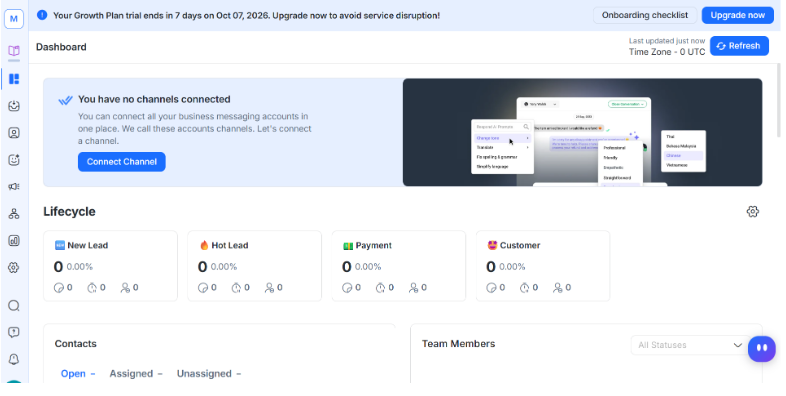
respond.io is a verified WhatsApp Business Solution Provider that grew from a team inbox into a conversation management platform. Chatbot automation lives in Workflows and AI Agents, which start on the Growth plan.
Key Features
- AI Agents: AI agents answer questions, qualify leads, and route chats; Growth includes 10,000 AI credits a month and Advanced includes 20,000.
- Workflows: A no-code automation builder for routing, lead qualification, follow-ups, and handovers to human agents.
- AI Assist and chat summaries: AI prompts, reply assistance, and conversation summaries are available on every plan and speed up agents.
- Omnichannel team inbox: WhatsApp, other messaging channels, and email share team and custom inboxes, with a mobile app for agents on the go.
- WhatsApp calls and voice AI agents: Calls run in the same platform, and the Advanced plan adds AI voice agents for phone conversations.
- Broadcasts with analytics: Send campaigns and track engagement from the Growth plan up.
- Lifecycle management: Move contacts through stages such as lead, qualified, and customer, so automations and reports follow your sales funnel.
- Ads and product catalog: Meta and TikTok ads plus the Meta Product Catalog connect campaigns and products to WhatsApp conversations.
- Integrations: HubSpot, n8n, Zapier, Make, Calendly, Cal.com, and Google Calendar connect the inbox to your stack, with Salesforce on Advanced.
- Developer API, webhooks, and security: A developer API comes with Growth, while webhook events, HTTP request steps, SSO, data masking, and multiple workspaces come with Advanced.
Pricing
respond.io has no free plan; its 7-day free trial needs no credit card. With monthly billing, Starter costs $99/month (5 users, extra users at $15), Growth costs $199/month (10 users, extra users at $25, starting at 1,000 monthly active contacts), and Advanced costs $349/month (10 users, extra users at $30); Enterprise is custom-priced. Yearly billing saves up to 20%, bringing the plans to $79, $159, and $279 per month.
Starter covers the shared inbox and AI Assist, while Workflows, AI Agents, and broadcasts start on Growth. Extra monthly active contacts cost $12 per 100 on Growth and $15 per 100 on Advanced.
WhatsApp fees are not included in any subscription: Meta charges them based on usage, and you top up WhatsApp credit inside respond.io. Check respond.io’s official pricing.
Rating: 4.6 out of 5 on Capterra, based on 60 reviews.
What I like about this platform: Workflows, AI Agents, and lifecycle stages share one inbox, so a bot can qualify a lead, update its stage, and hand the chat to the right rep with the full history attached.
Pros and Cons
Pros:
- Mature AI agents and workflow automation
- Deep CRM integrations, including HubSpot and Salesforce
- Meta’s WhatsApp fees are billed by usage, separate from the plan
- Unlimited monthly active contacts on Starter for inbox-only teams
Cons:
- Chatbot features start at $199/month on Growth
- Costs rise with monthly active contacts
- Salesforce, webhooks, and SSO are reserved for Advanced
- No free plan
3. SendPulse
Ideal for: Small and growing businesses that want an official WhatsApp API connection, a no-code chatbot builder, a built-in CRM, and in-chat payments at the lowest subscription price on this list.
SendPulse is an AI-driven email and chatbot marketing platform for scaling businesses, trusted by 200,000+ customers over 11+ years. It is a Meta Partner and an official WhatsApp Business API provider, and it helps companies attract leads and convert them into customers through chatbot conversations, with a CRM that unifies all channels, contacts, and requests. The same account also runs chatbots for Instagram, Facebook, Telegram, TikTok, and Viber.
Key Features
- No-code chatbot builder: SendPulse’s WhatsApp chatbot builder uses drag-and-drop flows and premade templates, so a marketer can launch a support or sales bot without code.
- Official WhatsApp Business API connection: Your number connects through the official API with no setup fee and onboarding help for business verification, which protects it from blocks.
- AI assistant and AI agents: An AI assistant answers customer questions inside the bot, AI agents handle tasks such as collecting customer data and creating deals, and Pro adds a ChatGPT integration.
- Built-in CRM: Every chat contact lands in a CRM that unifies channels, contacts, and requests, and flows can create and edit deals automatically.
- Payments inside chats: The bot can take an order and accept the payment in the WhatsApp conversation, without sending the customer to another page.
- Product cards and lists: Products appear as cards or lists in the chat, which helps customers browse and choose before they buy.
- Click-to-WhatsApp ads and growth tools: Leads from ads land straight in WhatsApp, and a website widget, link generator, and QR code generator open new chats.
- WhatsApp campaigns and templates: Send bulk campaigns with Meta-approved message templates and track opens and clicks in analytics.
- WhatsApp calls: Conversations can move from text to a WhatsApp call; SendPulse’s pricing page lists US calls at $0.0145 per minute.
- API, webhooks, and integrations: Pro includes API and webhooks, and SendPulse integrates with 40+ services, with the list expanding.
Pricing
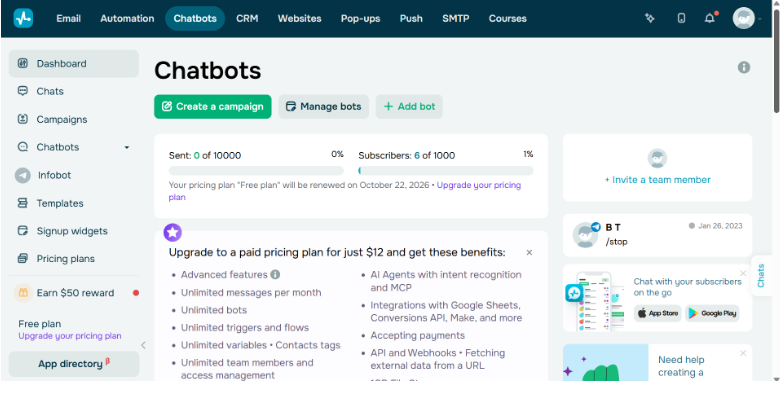
SendPulse’s Basic plan is free with no credit card required and includes 3 chatbots, up to 500 subscribers, and up to 10,000 messages per month. WhatsApp is not included in the free plan, which applies to the other channels. To test WhatsApp, there’s a 7-day WhatsApp trial, which requires a registered credit card.
Professional (Pro) is the only paid plan, and its price scales with the number of subscribers:
| Subscribers | Monthly Price |
|---|---|
| 500 | $12 |
| 2,000 | $22 |
| 5,000 | $48 |
| 10,000 | $74 |
| 15,000 | $99 |
| 20,000 | $119 |
| 30,000 | $154 |
| 40,000 | $187 |
| 50,000 | $219 |
| 70,000 | $280 |
| 100,000 | $425 |
Pro includes unlimited chatbots and live chats, unlimited messages, team tools, payments, API and webhooks, and the ChatGPT integration. Annual payment gives a 20% discount.
Meta’s per-message fees are charged separately, in US dollars, on top of the Pro plan, so a WhatsApp chatbot’s cost always has two parts: the Professional plan plus the per-message fees. For US numbers, SendPulse’s pricing page lists $0.0064 per utility, authentication, or service message, with 1,000 service messages free per bot each calendar month. Check SendPulse’s official pricing.
Rating: 4.6 out of 5 on Capterra, based on 773 reviews.
What I like about this platform: The $12/month Pro plan already includes in-chat payments, the CRM, the ChatGPT integration, and API access, so a small team can run a WhatsApp bot that answers a question, takes the order, collects the payment, and logs the deal without buying add-ons.
Pros and Cons
Pros:
- Lowest subscription entry price on this list for a WhatsApp chatbot ($12/month)
- Official WhatsApp Business API provider and Meta Partner
- CRM, AI assistant, and in-chat payments included in Pro
- One builder for WhatsApp, Instagram, Facebook, Telegram, TikTok, and Viber
Cons:
- WhatsApp is not in the free plan, and the WhatsApp trial requires a credit card
- The price grows with subscribers, up to $425/month for 100,000
- Per-message fees on top of the plan make the monthly total vary
- SSO and multiple workspaces are not listed among Pro features, unlike respond.io’s Advanced plan
4. ManyChat
Ideal for: Creators and social-first brands that already automate Instagram DMs and want to add WhatsApp to the same account.
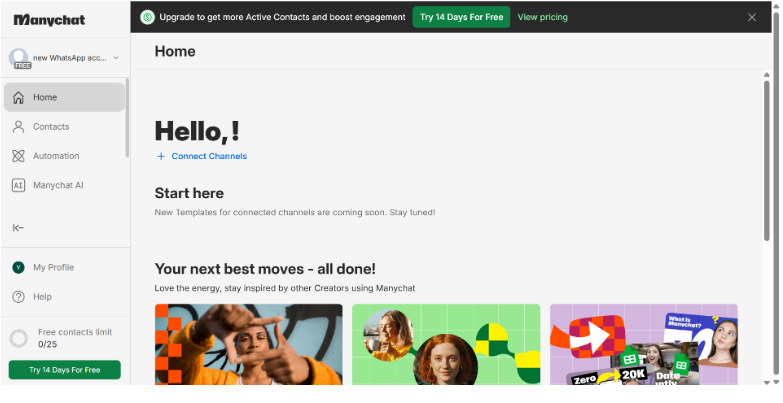
ManyChat built its name among chatbot tools for Instagram and Messenger automation and describes itself as an Official Meta Business Partner. WhatsApp is available from the Pro plan up, next to Instagram, Facebook Messenger, TikTok, Telegram, SMS, and email.
Key Features
- Visual flow builder and templates: Drag-and-drop automations and ready templates let marketers build a bot without code.
- Automated replies with human handover: The bot answers repetitive questions instantly, and an agent can step in when a chat needs a person.
- AI Assistant for drafting flows: The AI Assistant generates a WhatsApp chatbot conversation in minutes from a short description of the goal.
- Manychat AI: Pro and higher plans add intent recognition, AI Steps (scripted AI-driven questions and responses), and copy improvements inside automations.
- WhatsApp broadcasts: Run remarketing campaigns to your WhatsApp contact list.
- Click-to-WhatsApp ads: Drive leads from ads straight into a WhatsApp conversation, day and night.
- Lead qualification and assignment: The bot qualifies leads and assigns them to your sales team instantly.
- Inbox with Inbox AI: Pro includes Inbox AI for faster replies, and Business adds a multi-user inbox for larger teams.
- CRM and Google Sheets integrations: Pass qualified leads to your CRM or a spreadsheet for follow-up.
- Multichannel automation and roles: Pro connects up to 3 channels and Business connects all of them, with roles management to control team access.
Pricing
ManyChat’s Free plan ($0, 25 active contacts, 2 channels) and Essential plan ($17/month, 250 active contacts) don’t include WhatsApp. WhatsApp starts on Pro at $39/month with 2,500 active contacts, 3 channels, 3 users, and Manychat AI. Business costs $99/month (7,500 active contacts, all channels, 5 users), and Advanced costs $199/month (25,000 active contacts, 10 users). Annual billing lowers Essential, Pro, Business, and Advanced to $14, $29, $69, and $139 per month.
Each extra active contact costs $0.05 on Pro, $0.025 on Business, and $0.004 on Advanced with monthly billing. Essential and Pro come with a 14-day free trial. WhatsApp template messages are paid separately from a prepaid Manychat Wallet. Check ManyChat’s official pricing.
Rating: 4.6 out of 5 on Capterra, based on 72 reviews.
What I like about this platform: One account runs Instagram comment automations and WhatsApp follow-up flows with the same builder, which keeps a creator’s social and WhatsApp funnels in one place.
Pros and Cons
Pros:
- Very approachable builder for marketers and creators
- Strong Instagram plus WhatsApp combination
- 14-day free trial on Pro
- Manychat AI included from the Pro plan
Cons:
- No WhatsApp on the Free or Essential plans
- Pro is limited to 3 channels and 3 users
- Overage fees apply above the active-contact limit
- Template messages need a separately funded wallet
5. Twilio
Ideal for: Developer teams that want to build a custom WhatsApp chatbot on an API and pay only for the messages they send and receive.
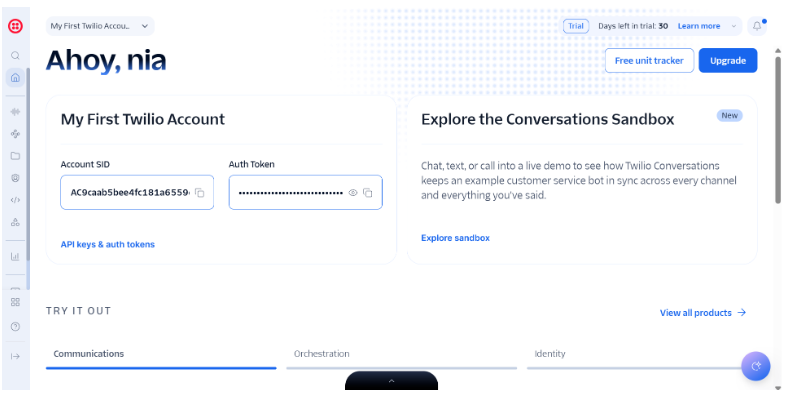
Twilio offers WhatsApp Business APIs that are officially supported by WhatsApp, as part of a wider platform for SMS, voice, email, and verification. It is a toolkit rather than a finished app: you assemble the bot with code or Twilio Studio and connect the inbox, CRM, and AI model you choose.
Key Features
- WhatsApp Business API access: Send and receive WhatsApp messages through APIs officially supported by WhatsApp, with simplified WhatsApp Business Account creation.
- Twilio Studio: A visual flow builder for bot logic; 1,000 flow executions a month are free, and each one after that costs $0.0025.
- Conversations API: Turns WhatsApp messages into two-way threads that customers can reply to.
- Interactive messages: WhatsApp Flows, quick-reply buttons, typing indicators, and click-to-call buttons make the bot feel like an app.
- Generative AI assistants: Connect LLM-powered assistants to answer customer questions in WhatsApp.
- Verify API: Send one-time passcodes and verify users over WhatsApp to reduce fraud.
- WhatsApp Business Calling: Add call templates and consumer- or business-initiated calls to the same number.
- Senders API and Tech Provider Program: Onboard many WhatsApp numbers programmatically, which helps agencies and software vendors.
- Marketing Messages API and Utility Direct Send (beta): Dedicated APIs for promotional and utility sends where Meta allows them.
- SDKs and documentation: Quick-start guides, code snippets, and SDKs shorten the build for developers.
Pricing
Twilio has no monthly subscription for WhatsApp and offers a free trial with no credit card required. You pay $0.005 per WhatsApp message, inbound or outbound, plus Meta’s per-message fee, which Twilio passes through; messages that end in a “Failed” status cost an extra $0.001. Volume discounts are available through sales. If you build the flow in Twilio Studio, executions beyond the free 1,000 a month cost $0.0025 each. Check Twilio’s official pricing.
Rating: 4.4 out of 5 on Capterra, based on 514 reviews.
What I like about this platform: The flat $0.005 fee applies in both directions with no seat or contact limits, so costs track usage exactly, even on high-volume flows such as order updates and one-time passcodes.
Pros and Cons
Pros:
- No subscription; you pay only for usage
- The most flexible APIs on this list, from WhatsApp Flows to calling and Verify
- Proven global scale for high message volumes
- Extensive documentation and SDKs
Cons:
- Building and maintaining the bot requires developers
- No ready-made team inbox or CRM in the WhatsApp offering
- The Twilio fee also applies to inbound messages, plus a fee for failed ones
- Monthly costs are harder to predict, and Studio executions add up
What a WhatsApp Chatbot Really Costs: Plan Fee Plus Message Fees
Every WhatsApp chatbot bill has two parts: the platform’s plan (or Twilio’s per-message fee) and the per-message fees for WhatsApp itself. Meta charges per delivered message, by message category and recipient country, and since October 1, 2026, it charges for service replies after the first 1,000 per business number each month.
For US numbers, Meta’s USD rate card lists $0.0034 per utility, authentication, or service message. Marketing templates are listed at $0.025 for North America, although Meta currently doesn’t deliver them to US numbers.
Example: A US store whose bot sends 3,000 service replies and 2,000 utility order updates a month pays Meta for 2,000 service replies (the first 1,000 are free) and 2,000 utility messages: 4,000 × $0.0034 = $13.60 at Meta’s list rates. The platform side then shapes the rest of the bill:
- Twilio adds $0.005 to every inbound and outbound message.
- respond.io keeps Meta’s fees out of the subscription; you top up WhatsApp credit and pay by usage.
- WATI and SendPulse publish their own per-message rates, and ManyChat bills templates from a prepaid wallet, so check each vendor’s list for your destination countries before comparing plans.
Official WhatsApp Business API Providers vs No-Code Chatbot Builders
All five services connect through Meta’s official WhatsApp Business Platform, which keeps your number clear of the bans that unofficial automation tools risk. They work at different layers, though:
- API providers such as Twilio and 360dialog give you access to the WhatsApp Business Platform and leave the bot, inbox, and CRM to your developers.
- No-code chatbot builders such as WATI, SendPulse, and ManyChat add a visual flow builder, inbox, and campaigns on top of the official API, and SendPulse adds a CRM.
- Conversation management platforms such as respond.io focus on routing, AI agents, and team workflows across many channels.
- AI agent builders such as Botpress let you design an AI agent and deploy it to WhatsApp through an integration.
If no one on your team writes code, a no-code builder gets a bot live fastest. If you need custom logic, very high volumes, or your own AI stack, an API provider gives more control in exchange for development time, and a team experienced in AI agent development can help you build it.
Which WhatsApp Chatbot Service Should You Choose?
- SendPulse: Choose it for the lowest subscription entry price on this list ($12/month on Pro), combined with an official WhatsApp Business API connection, Meta Partner status, a built-in CRM, an AI assistant, and in-chat payments.
- WATI: Choose it for e-commerce, with Shopify cart and order templates, catalog tools, and click-to-WhatsApp ad tracking from $69/month.
- respond.io: Choose it for multichannel sales and support teams that need AI agents, workflows, and HubSpot or Salesforce integrations, with chatbot features from $199/month.
- ManyChat: Choose it if Instagram is your main channel and you want WhatsApp in the same account, from $39/month on Pro.
- Twilio: Choose it if developers will build the bot and you prefer paying $0.005 per message over a subscription.
Whichever you pick, budget for WhatsApp’s per-message fees on top of the plan, and test your main flow during the free trial before you commit. For more options beyond WhatsApp, see our roundup of AI tools for small business customer communication.
FAQ About WhatsApp Chatbot Services
What is the best WhatsApp chatbot platform in 2026?
For most small and growing businesses, SendPulse offers the best value. It is an official WhatsApp Business API provider and Meta Partner, and its Pro plan starts at $12/month (plus Meta’s per-message fees) with a no-code builder, CRM, AI assistant, and in-chat payments. WATI is stronger for e-commerce, respond.io for multichannel teams, ManyChat for Instagram-first brands, and Twilio for developers.
Which WhatsApp chatbot builders use the official WhatsApp Business API?
WATI, respond.io, SendPulse, ManyChat, and Twilio all connect through Meta’s official WhatsApp Business Platform. respond.io is a verified WhatsApp Business Solution Provider, SendPulse and ManyChat are Meta partners, WATI sets up the official API with no setup fee, and Twilio’s APIs are officially supported by WhatsApp.
Can I build a WhatsApp chatbot without coding?
Yes. WATI, SendPulse, and ManyChat offer no-code WhatsApp chatbot builders, and respond.io offers no-code Workflows from its Growth plan. Twilio is code-first, although Twilio Studio adds a visual flow builder for technical teams.
How much does a WhatsApp chatbot cost in 2026?
Expect two costs: the platform plan and the per-message fees. With monthly billing, entry prices with WhatsApp chatbots are $12/month for SendPulse Pro, $39/month for ManyChat Pro, $69/month for WATI Growth, and $199/month for respond.io Growth, while Twilio charges $0.005 per message with no subscription. For US numbers, Meta lists $0.0034 per utility, authentication, or service message, and the first 1,000 service messages per number each month are free.
Is there a free WhatsApp chatbot service?
None of the five includes WhatsApp in a free plan. SendPulse and ManyChat have free plans for other channels; for WhatsApp, you need SendPulse Pro (7-day WhatsApp trial, credit card required) or ManyChat Pro (14-day free trial). WATI and respond.io offer 7-day free trials, and Twilio offers a free trial with no credit card.
Twilio, respond.io, or WATI: which one should I choose?
Choose Twilio if developers will build a custom bot and you want pure per-message pricing, respond.io if several teams handle WhatsApp alongside other channels with AI agents and CRM integrations, and WATI if you run an online store and want Shopify templates and click-to-WhatsApp ad tools in a ready-made inbox.
Can a WhatsApp chatbot send marketing messages to US customers?
Not through marketing templates at the moment: Meta doesn’t deliver them to US phone numbers on any provider. A bot can still send service replies, utility messages such as order updates, authentication codes, and free-form replies in conversations that customers start, including from click-to-WhatsApp ads.
