
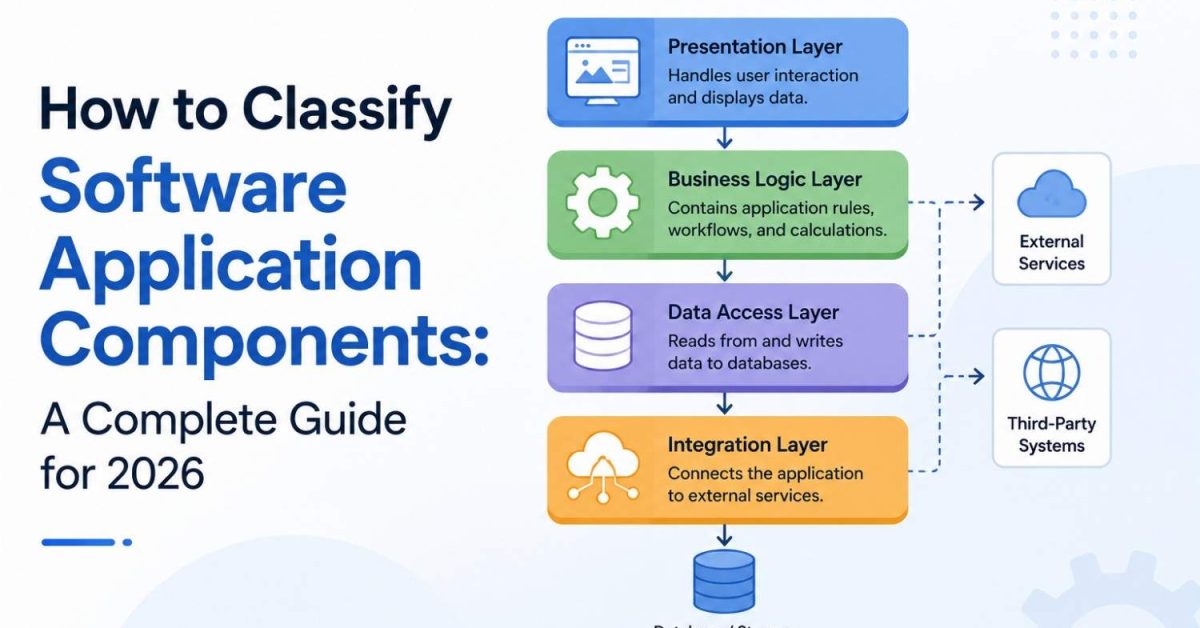
To classify software application components, you group each part of an application by the job it does and how it relates to the rest of the system. The most common approach is by architectural layer (presentation, business logic, data access, and integration), but components can also be classified by function, by how reusable they are, by how critical they are, and by how they are deployed. Using these classifications together turns a tangled codebase into clear, manageable building blocks.
This guide explains each method of classification, shows real examples, and ends with a practical step-by-step process you can apply to your own system. Whether you are a developer, software architect, product manager, or student, you will leave knowing how to map any application into logical parts.
What Are Software Application Components?
A software application component is an independent or semi-independent unit that performs a specific function within an application. Components talk to each other through defined interfaces or APIs, which means each one can be built, tested, and updated on its own without breaking everything around it.
A helpful way to picture it: if an application were a car, the components would be the engine, the brakes, the dashboard, and the fuel system. Each does one job, each connects to the others through clear interfaces, and a mechanic can repair one without rebuilding the whole vehicle. That separation is the entire reason classification matters.
Why Classifying Components Matters
Classification is not academic box-ticking. It directly affects how easy your software is to build and maintain.
When components are clearly grouped, teams gain modularity (parts can change independently), maintainability (bugs are easier to locate and fix), reusability (a well-defined component can serve several features), and scalability (you can grow one layer without disturbing the others).
It also improves collaboration, since developers can work on separate components in parallel, and it keeps testing organized because each unit can be tested in isolation. In short, classification reduces complexity and lowers the long-term cost of change.
The Main Ways to Classify Software Application Components
There is no single correct classification. Experienced architects view a system through several lenses at once. Here are the four most useful dimensions.
1. Classification by Architectural Layer
This is the most widely used method and the one most people mean by the question. It groups components by their role in the flow of data from the user to the database and back. This pattern is the foundation of layered (n-tier) architecture.
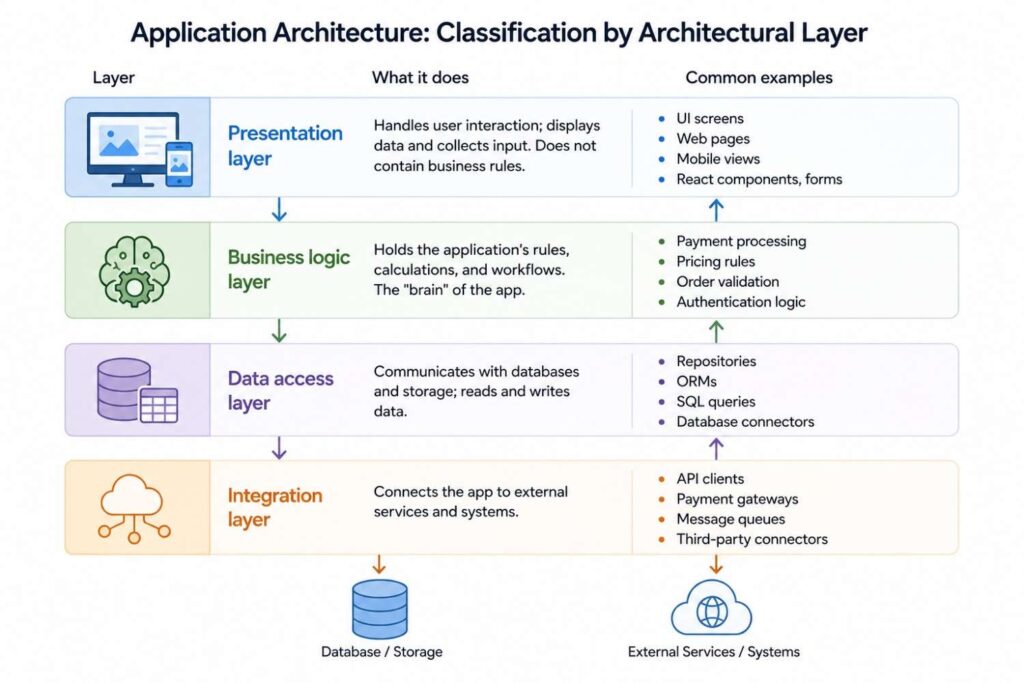
| Layer | What it does | Common examples |
|---|---|---|
| Presentation layer | Handles user interaction; displays data and collects input. Does not contain business rules. | UI screens, web pages, mobile views, React components, forms |
| Business logic layer | Holds the application’s rules, calculations, and workflows. The “brain” of the app. | Payment processing, pricing rules, order validation, authentication logic |
| Data access layer | Communicates with databases and storage; reads and writes data. | Repositories, ORMs, SQL queries, database connectors |
| Integration layer | Connects the app to external services and systems. | API clients, payment gateways, message queues, third-party connectors |
The golden rule of this model is separation of concerns: each layer should do only its own job. The presentation layer should never run business rules, and the business logic layer should never talk directly to the database. Keeping these boundaries clean is what makes a system easy to maintain.
2. Classification by Function
Here you group components by the type of work they perform, regardless of which layer they sit in. This view is useful for understanding responsibilities across the whole application.
| Functional type | Purpose | Examples |
|---|---|---|
| Core components | Central to the app’s main purpose; the app cannot function without them. | Authentication, core transaction engine |
| Supporting components | Assist core features but are not essential to the primary function. | Notifications, recommendations |
| Utility components | Provide common, shared services used across the app. | Logging, error handling, security helpers, validation |
| Integration components | Enable communication with outside services. | API wrappers, webhooks, data sync jobs |
3. Classification by Reusability
This lens asks how broadly a component can be reused, which matters for planning shared libraries and reducing duplicate code.
Some components are application-specific, built for one feature and rarely reused. Others are shared or reusable components, designed to serve many parts of the same application. At the broadest level, library or framework components are generic enough to be reused across entirely different projects. Knowing which is which helps teams decide what to invest in turning into a clean, documented, reusable module.
4. Classification by Criticality and Deployment
Two final, practical lenses round out the picture.
By criticality, components are core (failure breaks the app), supporting (failure degrades but does not break it), or optional (nice-to-have). This classification guides where you focus testing, monitoring, and error handling.
By deployment, components can be grouped by how and where they run. In a monolithic architecture, components are packaged and deployed together as one unit. In a microservices architecture, components are deployed independently as separate services that communicate over a network. This distinction shapes scaling, reliability, and team structure.
A Quick Comparison of the Four Methods
| Classification method | Main question it answers | Best used for |
|---|---|---|
| By layer | Where does this fit in the data flow? | Designing clean architecture, separation of concerns |
| By function | What kind of work does it do? | Mapping responsibilities, organizing teams |
| By reusability | How widely can it be reused? | Building shared libraries, cutting duplication |
| By criticality / deployment | How important is it, and how does it run? | Testing focus, scaling, reliability planning |
How to Classify Components Step by Step
Theory is useful, but here is a practical process you can apply to a real project today.
First, inventory everything. List all the modules, services, libraries, and interfaces in your application so you can see the full picture rather than a vague mental model. Second, identify each component’s responsibility by asking a single question: what one job does this do? If the answer has the word “and” in it, the component may be doing too much.
Third, assign each component to a layer (presentation, business logic, data access, or integration) to understand how data flows through the system. Fourth, tag each one by function and criticality so you know which parts are core and which are supporting. Fifth, map the dependencies, noting which components rely on which, since hidden dependencies are where maintenance pain comes from. Finally, document the result, ideally with a simple diagram, so the whole team shares the same mental map.
Run this process once and you will spot duplicated logic, components that do too much, and risky dependencies you did not know existed.
Best Practices for Classifying Components
A few principles keep your classification clean over time. Apply separation of concerns so each component owns exactly one responsibility. Aim for high cohesion within a component and loose coupling between components, which is the hallmark of good design. Communicate only through well-defined interfaces or APIs so internal changes do not ripple outward.
Avoid circular dependencies, where two components depend on each other, because they make the system fragile. And revisit your classification as the app evolves, since a component that was simple at launch can quietly grow into something that belongs in its own service.
A Note on the Broader Meaning
Sometimes “classifying software” refers to grouping whole programs rather than the parts inside one application, for example system software versus application software, proprietary versus open-source, or installed versus cloud-based.
That is a valid but separate topic. This guide focuses on the components within an CRUD applications, which is what the question most often means in software design and architecture.
The Bottom Line
Classifying software application components is about seeing a complex system as a set of clear, purposeful parts rather than one giant block of code. Group them by layer to understand data flow, by function to map responsibilities, by reusability to plan shared code, and by criticality and deployment to guide testing and scaling.
Use the step-by-step process to apply this to your own project, follow the best practices to keep it clean, and you will build software that is easier to maintain, safer to change, and ready to scale.
Frequently Asked Question
What are the main types of software application components?
The most common grouping is by architectural layer: presentation components (user interface), business logic components (rules and workflows), data access components (database communication), and integration components (external services). Components can also be grouped by function, reusability, and criticality.
Why is classifying software components important?
It makes software more modular, maintainable, reusable, and scalable. Clear classification helps teams locate bugs faster, work in parallel, test in isolation, and upgrade one part of the system without breaking the rest.
What is the difference between the presentation, business logic, and data access layers?
The presentation layer handles what the user sees and interacts with. The business logic layer contains the rules and calculations that make the app work. The data access layer manages reading from and writing to the database. Keeping them separate is a core principle called separation of concerns.
How do I start classifying components in my own application?
Begin by listing every module and service, then ask what single job each one does. Assign each to a layer, tag it by function and criticality, map its dependencies, and document the result with a simple diagram.
