

It’s not just about writing lines of code anymore; it’s also about how well your AI assistant can do it for you. In this AI coding battle, we look at Cursor AI and GitHub Copilot, two of the most powerful AI tools that developers are using in 2026. Both tools claim to increase developer productivity, but they use quite different approaches. One is a full AI-powered coding environment; the other is a smart autocomplete assistant, but which one actually wins?
Why Choosing the Wrong AI Coding Tool Might Cost You Hours
It’s not only about the features when you choose between Cursor AI and Copilot; it’s also about how you work as a developer. AI coding tools are now crucial for productivity in 2026, but choosing the wrong one will actually slow you down rather than increase your pace.
In this guide, we’ll explore features, performance insights, cost, real-world use cases, strengths, and weaknesses to help you make the best decision.
Cursor AI: Your Complete AI Assistant for Complex Coding Tasks

Built on top of Visual Studio Code, Cursor AI is a smart AI coding tool that can function as a complete AI pair programmer.
Cursor is a great tool for large-scale programming since it can interpret your whole codebase, unlike traditional coding assistants.
Important Cursor AI Features:
- Strong understanding of the codebase
- Refactoring and modifying multiple files
- AI agent for automation
- Code generation with natural language
- Advanced contextual awareness across projects
Cursor AI is perfect for developers working on full-stack apps, large software projects, or AI-driven processes.
GitHub Copilot: The Smart AI Assistant That Codes Line by Line
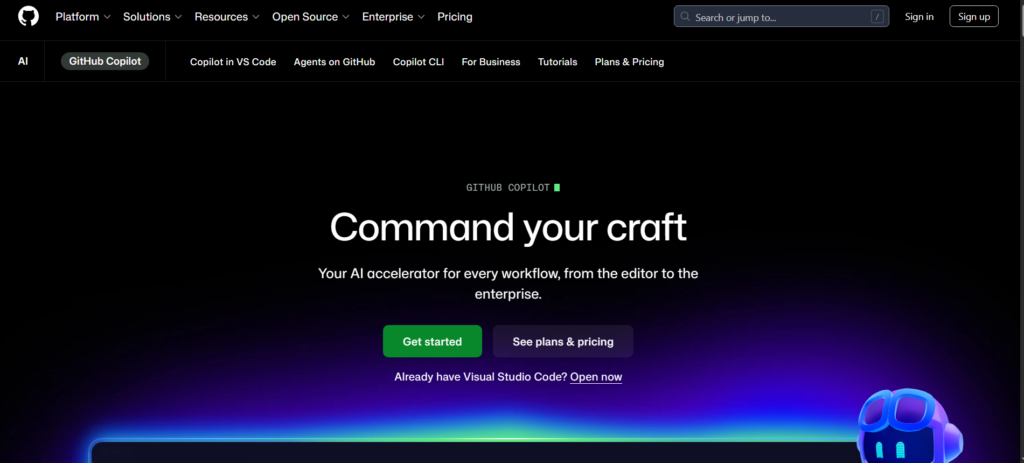
GitHub Copilot is a simple AI coding assistant that works with IDEs like JetBrains and Visual Studio Code. It emphasizes real-time code recommendations, which speed up and improve the efficiency of coding.
Important GitHub Copilot Features:
- Code autocompletion in real time
- Copilot Chat for troubleshooting
- Integration of the GitHub ecosystem
- Automatic in-line typing suggestions
- Multi-language compatibility
Copilot is ideal for developers who need quick coding help inside their current workflow.
Cursor AI vs. Copilot: The Basic Difference Every Developer Needs to Know
The actual difference that separates Cursor AI and Copilot is not features, but rather workflow philosophy.
- Cursor AI offers a comprehensive AI coding environment with project-level intelligence.
- Copilot is an AI helper within your IDE that provides line-level intelligence.
A simple example:
- Cursor AI → “AI pair programmer overseeing your whole project”
- Copilot → “AI autocomplete assistant assisting you while you type”
This difference determines your developer experience and productivity.
Feature Comparison: Cursor AI vs. Copilot Side-by-Side
| Feature | Cursor AI | GitHub Copilot |
| Type | Full AI IDE | AI Plugin |
| Codebase Understanding | Entire project | Single file context |
| Multi-file editing | Yes | Limited |
| Speed | High for large tasks | High for small tasks |
| Accuracy | Moderate | High |
| Integration | Limited | Very strong |
| AI Agent Mode | Advanced | Basic |
Breakdown of Speed, Accuracy, and Real Performance
Speed
- Cursor AI excels at complex coding tasks.
- Copilot makes inline recommendations more quickly.
Accuracy
- Copilot generates more consistent and reliable results.
- Cursor AI is very good at interpreting context.
Complex projects
- Cursor AI excels in full project development.
- Copilot has trouble handling dependencies across multiple files.
Use Cases: When to Use Cursor AI vs. Copilot
Cursor AI should be used if:
- You are developing building CRUD applications.
- You work on multi-file systems.
- You want AI-driven development methods.
GitHub Copilot should be used if:
- You want fast coding suggestions.
- You already use JetBrains or Visual Studio Code.
- You work in teams using GitHub.
Beyond the Basics: Features That Actually Make a Difference
Cursor AI:
- AI agent mode for complete automation
- Refactoring the entire project
- Restructuring code intelligently
GitHub Copilot:
- Copilot Chat for clarifications
- Inline debugging assistance
- Integration with GitHub native
Pricing: Which AI Coding Tool Is More Affordable?
| Feature | Cursor AI | GitHub Copilot |
| Free Plan | Hobby (limited usage) | Free (limited requests) |
| Starting Price | $20/month (Pro) | $10/month (Pro) |
| Mid Tier | $60/month (Pro+) | $39/month (Pro+) |
| Advanced Tier | $200/month (Ultra) | — |
| Team Plan | $40/user/month | $19/user/month (Business) |
| Enterprise | Custom | $39/user/month |
| Best For | Complex, full-project development | Fast coding & autocomplete |
Which Plan Is Best for You? (Beginner vs. Expert Guide)
- If you’re a student or beginner
Use GitHub Copilot (Free or Pro).
- Cheaper price
- Simple to use
- Ideal for learning and small tasks
- If You Work as a Freelance Developer
Choose:
- For short tasks, use Copilot Pro ($10)
- For longer projects, use Cursor AI Pro ($20)
- If You’re an Advanced or Professional Developer
Pick Cursor AI Pro or Pro+.
- More suitable for multi-file projects
- Manages complex logic
- Time saving for real-world development
- If You’re a Team or Company
Use
- Copilot Business ($19/user) for affordable teams
- Cursor Teams ($40/user) for advanced control and collaborative work
In short, Copilot is cheaper, but Cursor AI provides deeper capabilities.
Pros and Cons of Cursor AI vs. Copilot
Cursor AI Pros:
- Effective AI coding assistant
- Complete project awareness
- Advanced automation
Cursor AI Cons:
- Slight learning curve
- Fewer integrations
GitHub Copilot Pros:
- Simple integration
- Quick autocomplete
- Universally compatible
GitHub Copilot Cons:
- Limited project awareness
- Not suitable for large apps
When Not to Use These AI Coding Tools
- Don’t use Cursor AI if you just want basic autocomplete assistance.
- Avoid Copilot for complex project-wide AI reasoning.
Using Copilot and Cursor AI Together: A Smart Move or Unnecessary Overlap?
While using both of them simultaneously may seem like a productivity trick, in reality, it frequently produces more noise than usefulness. Every tool attempts to help you in a different way, which may disrupt rather than enhance your flow.
Most developers find it more efficient to stick to one tool per workflow instead of mixing them, only switching when the project requires a new level of support. The solution is not to use more AI tools but to use the correct one at the right moment.
Final Verdict: Cursor AI vs Copilot in 2026
The ultimate decision between Cursor AI and Copilot is based on how you operate and what you anticipate from an AI tool.
- Beginners → GitHub Copilot
- Advanced developers → Cursor AI
- Teams → Copilot
- Complex projects → Cursor AI
These tools support several phases of development demands rather than immediately competing with one another. Aligning the tool with your process is more beneficial than just using its features. Ultimately, the best option isn’t which tool is better but rather which one enables you to develop more quickly and intelligently.
The best strategy, according to many developers, is to start small and grow using Copilot for speed in the beginning, then switch to Cursor AI when tasks require more comprehension and control.
Future of AI Coding Tools (2026 and beyond)
AI coding tools are quickly developing into more autonomous and intelligent development systems than just basic support. The following phase will focus on:
- Complete project automation
- AI agents with the ability to design, create, and improve code
- Improved understanding of the codebase and multi-file levels
- Direct and seamless integration with development environments
Copilot and Cursor AI will both continue to advance, but they will probably evolve in different directions, one toward more in-depth project intelligence and the other toward quicker, real-time coding help.
Frequently Asked Questions (FAQ)
Is Cursor AI better than Copilot?
Cursor AI is better for complex projects, while Copilot is better for quick coding assistance.
What is the main difference between Cursor AI and Copilot?
Cursor AI works as a full AI IDE, while Copilot is an AI plugin inside existing IDEs.
How secure is your code when using AI coding tools?
Although both tools follow security and privacy guidelines, developers should still verify platform regulations before sharing proprietary or sensitive code.
Which is better for React development: Cursor AI or Copilot?
Copilot is better for speed, while Cursor AI is better for structure and scalability.
Should I use both Cursor AI and Copilot?
It is possible, but not recommended due to overlapping features.
