
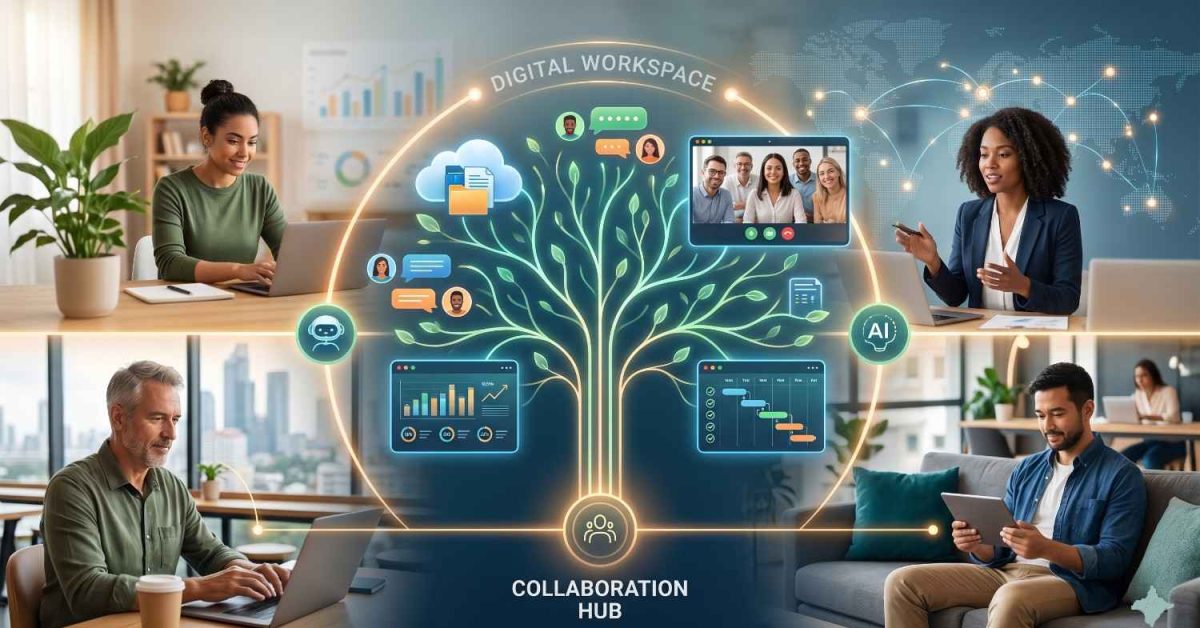
A digital workspace is a single, centralized environment that brings together all the tools, files, and communication channels a team needs to work. Instead of jumping between disconnected apps, people manage everything from one connected system.
Work has changed fast. Remote teams, freelancers, and global partnerships are now normal, and the office is no longer the center of how work happens. That shift is why digital workspaces have moved from a nice-to-have to a core part of how modern teams operate. In some sectors like finance and tech, remote work jumped from under 20 percent before 2020 to nearly 40 percent within a couple of years, and the tools had to catch up.
This guide explains what a digital workspace is, how it differs from a digital workplace, the tools that power it, the real benefits, where it fails, and how to set one up that actually works.
What is Digital Workspace?
A digital workspace is a centralized platform that connects your tools, data, and communication in one place. Rather than switching between a dozen apps, your team works from one interconnected system. That saves time, cuts friction, and keeps everyone aligned.
A typical digital workspace brings together:
- Communication tools for meetings and conversations
- File-sharing platforms for easy document access
- Project management tools to track work and progress
- Cloud storage for flexible, secure data access
- Business apps that support day-to-day operations
The goal is simple. Give people one reliable place to do their work, instead of a scattered pile of logins and tabs.
Why Businesses Are Switching to Digital Workspaces
A digital workspace is no longer a luxury. For most teams, it is a practical necessity. Here is what is driving the shift.
- Hybrid and remote work is the new standard. Teams no longer need to share a room. A digital workspace keeps everyone connected from any location.
- Real-time collaboration matters more than ever. Instant communication means faster updates, quicker decisions, and fewer delays waiting on someone else.
- AI and automation are changing the workday. Modern workspaces increasingly build in AI features that handle repetitive tasks and free people up for higher-value work.
- It scales with you. As your team grows, you can add tools, users, and workflows without disrupting daily operations.
Digital Workplace vs. Digital Workspace: Stop Confusing Them
This is one of the most searched and most misunderstood distinctions in modern work. The two terms get used interchangeably, but they mean different things.
A digital workspace is about the tools and technology people use to get work done. A digital workplace is about the people, culture, and working environment those tools create.
Think about a remote marketing team. They use Google Drive for files, Trello for tasks, and Slack for messaging. That is their digital workspace. How they actually collaborate, share ideas, run meetings, and stay connected as a team? That is their digital workplace.
Digital workspace = tools and technology, including communication apps, cloud storage, project management software, and business apps.
Digital workplace = culture and people, including how the team collaborates, the company’s communication style, whether work is flexible or hybrid, and how engaged employees feel.
Put simply: the workspace is what you use. The workplace is how you work.
What Makes a Digital Workspace Powerful?
Not all digital workspaces are equal. The best ones share a few traits.
- Centralization. Everything lives in one place.
- Smooth integration. Tools connect and pass information between each other instead of working in isolation.
- Accessibility. It works everywhere, on every device.
- Security. It protects sensitive company data with proper access controls.
- Ease of use. It is simple enough that teams actually adopt it.
A well-designed workspace removes friction. It lets people focus on real work instead of managing their tools.
The Real Benefits That Matter
A good digital workspace changes how a business runs. The gains show up across the whole organization.
- Higher efficiency. People spend more time doing work and less time hunting through tools and tabs.
- Better collaboration. Teams stay in sync, share updates instantly, and work together in real time.
- Flexibility and work-life balance. People can work remotely without losing productivity.
- Lower costs. Less physical infrastructure and fewer overheads.
- A better employee experience. One smooth, connected system reduces frustration and lifts engagement.
It is worth noting these benefits land differently by role. IT gains central control and easier security. Employees get a smoother day with fewer logins. Leadership gets clearer visibility into how work and resources are actually being used.
Check Related Article: https://alphacraftai.com/best-api-search-companys-homepage/
Tools for a Modern Digital Workspace
A strong digital workspace runs on a set of tools that work well together. The main categories are:
- Communication: video meetings and chat, such as Zoom, Slack, or Microsoft Teams, along with meeting assistants that record and summarize calls.
- Project management: task tracking and workflows, such as Trello, Asana, or ClickUp
- Cloud storage: file sharing and backups, such as Google Drive, Dropbox, or OneDrive
- Collaboration: shared docs and whiteboards, such as Google Docs, Notion, or Miro
- AI productivity tools: assistants and automation that handle repetitive tasks
The specific tools matter less than how well they connect. Integration is what turns a pile of apps into a real workspace.
How Real Teams Use Digital Workspaces
A digital workspace is not just theory. It is how teams get work done every day, and different teams use it in different ways.
- Remote startups. With no physical office, remote companies lean heavily on digital workspaces to stay connected. They typically rely on cloud-based collaboration tools, instant messaging for daily communication, and shared dashboards to track progress. This lets people across time zones work together without friction.
- Enterprise teams. Large organizations use digital workspaces to structure and govern their operations. They focus on integrated communication systems, organized project workflows, and automated task tracking and reporting.
- Agencies and freelancers. Juggling several clients at once makes organization essential. Agencies and freelancers use digital workspaces to manage multiple projects in one place, track client needs and deadlines, and share deliverables and updates easily.
Where Digital Workspaces Fail Most Often
The benefits are real, but poor execution trips up plenty of businesses. The most common mistakes are:
- Too many disconnected tools. Adding apps without integration creates more chaos, not less.
- Not enough training. People cannot use what they do not understand.
- Weak security. Skipping access controls and encryption invites real risk.
- Poor workflow design. Tools without a clear process behind them just move the mess around.
- Low adoption. If the team does not actually use it, none of the benefits show up.
Most failures are not about the tools themselves. They are about how the workspace is rolled out and supported.
How to Set Up an Effective Digital Workspace
Building a workspace that works does not have to be complicated. Follow five steps.
- Define your goals. Understand what your team actually needs around communication, productivity, and automation before choosing anything.
- Choose the right tools. Prioritize ease of use and how well tools integrate with each other.
- Make security a priority. Use secure platforms with access controls and encryption to protect sensitive data. Teams can also use an open source password manager to securely store, share, and manage credentials while maintaining control over access to sensitive accounts.
- Train your team. Make sure everyone is comfortable and confident using the tools.
- Keep optimizing. Review workflows regularly, cut what is not working, and remove friction as you go.
What Comes Next: The Future of Digital Workspaces
Digital workspaces are evolving quickly, and AI is driving most of the change. Here is where things are heading:
- AI assistants that manage everyday tasks and surface what matters
- AI Automation that handles repetitive work in the background
- Personalized workspaces tailored to each user’s role and habits
- Predictive tools that anticipate needs and make collaboration smarter
The direction is clear. The workspace of the future will do more of the busywork on its own, so people can focus on the work that actually needs them.
-
What is a digital workspace in simple terms?
A digital workspace is a virtual environment where all of your work tools, data, and apps live in one centralized place, so your team does not have to switch between systems to get things done.
-
What are digital workspace tools?
They include communication platforms like Slack and Teams, cloud storage like Google Drive, project management software like Trello and Asana, and collaboration startup tools like Notion and Miro.
-
Is business data safe in a digital workspace?
Yes, when it is set up correctly. With secure platforms, proper access controls, and encryption, a digital workspace can be highly secure for business operations.
-
Is a digital workspace only useful for remote teams?
No. Office-based teams also use digital workspaces to organize projects, improve collaboration, and simplify daily tasks. The benefits apply to any team, remote or not.
-
What is the difference between a digital workspace and a digital workplace?
A digital workspace is the set of tools and technology people use to work. A digital workplace is the broader culture and human environment those tools create. One is what you use, the other is how you work.
-
What skills do you need to use a digital workspace?
Basic digital literacy is enough. If you can use common collaboration tools and manage tasks online, you can work effectively in a digital workspace.
