
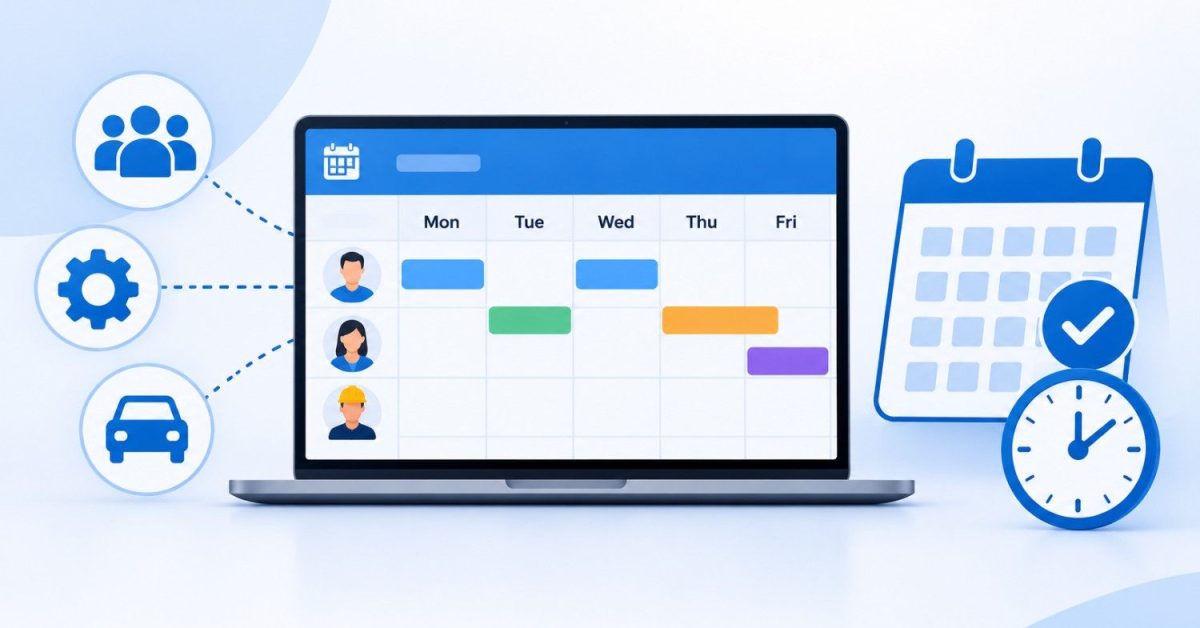
Most scheduling problems are not about one person and one task. They are about fitting many resources together at the same time: the people, equipment, rooms, and tools a job actually needs, often across several projects at once. That is the problem multi-resource scheduling solves.
The term carries two closely related meanings, and mixing them up causes most of the confusion around it. This guide separates them clearly, then walks through how the method works, the main types, the benefits and challenges, the techniques that make it effective, and real examples from healthcare to manufacturing. By the end you will know how to coordinate resources without the conflicts, overloads, and missed deadlines that come from planning them one at a time.
What Is Multi-Resource Scheduling?
Multi-resource scheduling is the practice of planning several resources together on one coordinated timeline, checking the availability and constraints of each before committing to a schedule. Instead of booking one resource at a time, it looks at every resource a task or project needs at once, so nothing is promised that cannot actually be delivered.
In everyday use, the phrase means two related things.
The first is one task that needs several resources at the same time. A hospital operation needs a surgeon, an operating room, and specific equipment, all free in the same slot. A field service job needs a qualified technician and a suitable vehicle together, which is why field service management software matches each job to a technician on skills, location and availability. If any one piece is missing, the task cannot run, so all of them have to be scheduled as a single unit.
The second is many resources shared across many projects. Here the challenge is spreading a limited pool of people, skills, and equipment across competing projects without overloading anyone or leaving capacity idle. This is the resource-management meaning used in project and portfolio planning.
Both meanings share the same core idea: resources are limited, they are often needed together, and scheduling them in isolation creates conflicts. The rest of this guide covers both, since most real operations run into a mix of the two.
Multi-Resource vs. Single-Resource vs. Multi-Project Scheduling
It helps to place the method next to the two ideas people most often confuse it with.
Single-resource scheduling plans one resource against its own workload. You schedule one machine, or one person’s calendar, without worrying about what else a task needs. It is simple but blind to the dependencies that make real work possible.
Multi-resource scheduling plans several resources for the same work at the same time, so a task is only scheduled when every resource it requires is available together.
Multi-project scheduling sits a layer above that, coordinating shared resources across a portfolio of projects that compete for the same people and equipment.
| Approach | What it plans | Main question it answers |
|---|---|---|
| Single-resource | One resource in isolation | When is this one resource free? |
| Multi-resource | All resources a task needs, together | When are they all free at once? |
| Multi-project | Shared resources across many projects | Who works on what, across every project? |
In practice these are not rivals. A mature plan uses multi-resource logic at the task level and multi-project logic at the portfolio level.
How Multi-Resource Scheduling Works
Behind any multi-resource schedule, whether it is drawn by hand or produced by software, the same five-step logic applies.
1. Define the resource requirement. For each task, list every resource it needs and in what quantity: which skills, how many people, which machines, which rooms or tools. A task is not fully defined until all of its resource needs are known.
2. Check availability. For every required resource, the schedule checks whether it is free in the window the task needs, accounting for existing bookings, working hours, maintenance, and leave. This happens for all resources at once, not one after another.
3. Synchronize the resources. The task can only start when every resource it needs lines up in the same window. If the technician is free at nine but the vehicle is booked until eleven, the task cannot begin until eleven. The schedule finds the earliest point where everything converges.
4. Resolve conflicts. When two tasks want the same resource, or a resource is overbooked, the clash is flagged and resolved, by delaying the lower-priority task, reassigning to an equally qualified resource, or adjusting the timeline. This is where most of the value lives, because conflicts are caught before they reach the floor.
5. Execute and monitor. Once the plan runs, actual progress is tracked against it. Delays, overruns, and new requests feed back into the schedule, which is rebalanced so it stays realistic rather than frozen at its first version.
Done well, these steps turn a tangle of competing demands into a plan every resource can actually honor.
Types of Multi-Resource Scheduling
Multi-resource scheduling takes different shapes depending on what constrains the work. Five types cover most situations.
- Resource-constrained scheduling treats resource availability as the hard limit. The timeline bends to fit the resources: if the people or equipment are not available, the work waits. This is the realistic default when resources are scarce.
- Time-constrained scheduling fixes the deadline and flexes resources instead. When a date cannot move, you add people, shift assignments, or reallocate equipment to hit it. The constraint is time, not capacity.
- Skill-based scheduling assigns work by capability, not just availability. A task that needs a certified welder or a licensed nurse can only go to someone who qualifies, so the schedule matches skills to requirements before it matches calendars.
- Multi-project scheduling coordinates a shared resource pool across several projects at once, balancing competing demands so no project starves and no resource is double-booked across projects.
- Equipment-and-people scheduling pairs human and physical resources that must operate together, such as an operator and a machine, or a crew and a crane.
It also helps to know the kinds of resources these schedules juggle. Primary resources are the ones the task is built around, like the main machine or lead specialist. Secondary resources support them, such as a tool, fixture, or room. Resources are also finite (limited, like a single custom fixture) or effectively infinite (abundant enough never to be the bottleneck). Identifying which resources are genuinely finite is what keeps a schedule focused on the constraints that actually matter.
| Type | Fixed constraint | What flexes |
|---|---|---|
| Resource-constrained | Resource availability | Timeline |
| Time-constrained | Deadline | Resources |
| Skill-based | Required capability | Who is assigned |
| Multi-project | Shared resource pool | Project priorities |
| Equipment + people | Paired resources | Start time |
Why Multi-Resource Scheduling Matters
Scheduling resources together, rather than one by one, changes the economics of how an organization runs. The benefits are concrete.
Higher resource utilization. When you can see every resource’s load at once, you stop the common pattern of some people drowning while others sit idle. Work is spread toward even, sustainable use, which is one of the biggest drivers of return on a payroll.
Fewer conflicts and double-bookings. Because availability is checked across all resources before a task is confirmed, clashes are caught in planning instead of on the day. No more promising a crew that has no truck, or a room already booked.
Better deadline reliability. A plan that respects real capacity is a plan people can actually meet. Deadlines built on resources that do not exist are a main reason projects slip.
More accurate forecasting. Seeing committed versus available capacity across the horizon shows when you will run short and when you can take on more, so you can hire, delay, or sell with evidence rather than guesswork.
Lower burnout and turnover. Chronic overloading does not just slow work, it drives people out. Replacing an employee is expensive: the Center for American Progress found the median cost of losing a worker is about 21% of their annual salary (Center for American Progress). Balanced scheduling that prevents sustained overload protects both wellbeing and the budget.
Taken together, these are not soft gains. Better utilization, fewer missed dates, and lower turnover flow straight to delivery and cost, which is why resource-driven scheduling has become a core discipline rather than a nice-to-have.
Common Challenges and How to Handle Them
The method is powerful, but it runs into predictable obstacles. Each has a practical fix.
- Limited visibility. When resource data lives in separate spreadsheets and team calendars, no one can see the whole picture, and conflicts hide until they surface. The fix is to centralize capacity and bookings in one shared view that every planner works from.
- Resource conflicts across projects. The same specialist is promised to three projects at once. Resolve this with clear cross-project prioritization, so when demand exceeds supply, everyone knows which work wins and which waits.
- Poor data quality. A schedule is only as good as the information under it. Wrong skills, stale availability, or missing maintenance windows produce plans that fail on contact. Keep master data, the skills, calendars, capacities, and constraints, accurate and current, and review it regularly.
- Reactive planning. Teams that only reschedule when something breaks spend their time firefighting. Shift to a regular rebalancing cadence, weekly or more often, so the plan is adjusted before problems escalate rather than after.
- Interproject dependencies. When one project’s output is another’s input, a slip in one cascades. Map these dependencies explicitly so the schedule can account for them instead of being surprised by them.
- Resistance to the process. New scheduling discipline can feel like surveillance or extra admin. Introduce it gradually, show people how it protects them from overload, and keep the workflow light enough that updating it is not a burden.
None of these are reasons to avoid the approach. They are the normal friction of coordinating complex work, and each is manageable with visibility, good data, and a steady rhythm of review.
Techniques and Strategies
Several established techniques turn the general idea into a working plan.
- Load leveling evens out peaks and troughs in demand so no resource swings between overload and idleness. Work is shifted from busy periods to quieter ones wherever the schedule allows.
- Resource leveling and resource smoothing are two related optimization techniques that are often confused. Resource leveling adjusts task start and finish dates to fit limited resources, and because it moves activities, it can push out the project’s end date and change the critical path. Resource smoothing is gentler: it moves tasks only within their available slack, or float, so the critical path and the end date stay fixed. Use leveling when resources are the hard limit and the deadline can move; use smoothing when the deadline is firm and you are tidying peaks within existing room.
- Capacity heat mapping visualizes who is over- and under-loaded across a period, usually as a color grid. It turns an abstract spreadsheet into an at-a-glance picture of where the pressure is, so reallocation decisions become obvious.
- Buffer allocation builds deliberate slack into the schedule at the points most likely to slip, so a single delay does not topple everything downstream. Protecting the constraint, rather than every task, keeps the plan stable without padding it everywhere.
- Prioritization decides what wins when resources are scarce. Scoring work by factors like financial impact, strategic value, and risk gives a consistent rule for which task gets the contested resource, instead of whoever shouts loudest.
- Skill-based assignment matches tasks to the right capability first, then to availability, so qualified work goes to qualified people and you are not left with a free resource who cannot competently do the job.
Combining these, leveling the load, mapping capacity, buffering the constraints, and prioritizing clearly, is what separates a schedule that holds from one that unravels at the first disruption.
How to Manage Multiple Resources: Step by Step
Putting it into practice comes down to a repeatable routine.
1. Centralize visibility. Get every resource, its skills, capacity, and current bookings into one shared system. You cannot schedule what you cannot see, and scattered data is the root of most conflicts.
2. Define capacity per role. Set realistic available hours for each person and piece of equipment, after meetings, admin, maintenance, and leave. Planning against theoretical full capacity guarantees overload.
3. Prioritize the work. Rank projects and tasks with a clear, shared scoring method so that when demand exceeds supply, the schedule resolves conflicts the same way every time.
4. Assign by skill and availability. Match each task to a resource that is both qualified and free in the required window, checking all the resources a task needs together rather than in sequence.
5. Track actual time and progress. Compare what was planned against what actually happened. Real data on how long work takes is what makes the next schedule more accurate.
6. Rebalance on a regular cadence. Revisit the plan on a set rhythm, reassigning and resequencing as priorities shift and reality intrudes. A schedule is a living document, not a one-time decision.
Follow this loop and scheduling stops being a periodic crisis and becomes a steady, controllable process. The right software, good project management tools with real resource views, automates most of the mechanics, but the discipline above is what makes any tool work.
Real-World Examples by Industry
The method looks different across sectors, but the logic is identical.
Healthcare. A single operation requires a surgeon, an anesthetist, a specific operating room, and specialized equipment, all available in the same window. Scheduling them together prevents the costly delays of a room ready but no equipment, or a surgeon free but no room.
Field service. A repair job needs a technician with the right certification and a vehicle equipped for the work. Pairing people with the right equipment, and routing them together, is multi-resource scheduling in its purest form.
Construction. A concrete pour needs a crew, a mixer, and a crane, coordinated to the hour. One missing piece idles the rest and burns budget.
Manufacturing. A production run may require one machine, two certified operators, and a shared tool or fixture. Because the fixture is often the scarce resource, it, not the machine, sets the schedule.
Agencies and professional services. A client deliverable needs a designer, a developer, and a reviewer spread across overlapping projects, balanced so no one is triple-booked.
A short worked example makes the mechanic clear. Suppose a packaging order needs one machine, two operators, and a labeling tool. The machine is free from 8 a.m. and the operators are available, but the labeling tool is booked until 11 a.m. Because every resource must be present together, the operation cannot start at 8 even though most of it is ready.
The schedule sets the start at 11 a.m., when the last required resource frees up. That single constraint, the tool, governs the whole task, which is exactly what multi-resource scheduling is built to surface.
Software Features to Look For
For anything beyond a handful of resources, software does the heavy lifting. The features that matter most:
- Real-time capacity dashboards that show load and availability across all resources at a glance.
- Multi-project visibility, so shared resources can be seen and balanced across every project, not just within one.
- Conflict alerts that flag double-bookings and over-allocations automatically, before they reach the schedule.
- Skill tagging, so the system can match tasks to qualified resources, not just available ones.
- Forecast modeling and what-if simulation, to test a change before committing to it.
- Time-tracking integration, closing the loop between the plan and what actually happened so forecasts improve over time.
- Reporting and analytics, often sharpened by predictive features, to spot trends and future shortfalls early.
The right tool automates the five-step logic described earlier and turns rebalancing from a manual chore into a continuous, low-effort process.
Future Trends
Resource scheduling is being reshaped by automation. AI-assisted allocation increasingly suggests the best assignment across competing demands, weighing skills, availability, and priority faster than any planner could by hand. Predictive capacity modeling forecasts shortfalls weeks ahead, so hiring and workload decisions are made early.
Automated conflict detection catches clashes the moment they form, and emerging agentic scheduling systems can propose and even enact adjustments with light human oversight. Richer analytics, including predictive analytics tied to live operational data, are making these forecasts sharper. The direction is clear: less manual rescheduling, more continuous and intelligent balancing, with planners shifting from building schedules by hand to supervising systems that keep them optimized.
Conclusion
Multi-resource scheduling is the discipline of planning every resource a job needs, together, rather than one at a time. Whether it means coordinating a surgeon, room, and equipment for a single operation, or balancing a shared team across a portfolio of projects, the goal is the same: commit only to schedules that real capacity can honor.
Get it right and you gain higher utilization, fewer conflicts, more reliable deadlines, and less burnout. The core logic, define what each task needs, check availability together, synchronize, resolve conflicts, and rebalance, stays constant across every industry. Master that loop, support it with the right tools, and scheduling stops being a recurring crisis and becomes a quiet source of advantage.
Frequently Asked Questions (FAQs)
What is multi-resource scheduling in simple terms?
It is planning several resources, such as people, equipment, rooms, and tools, together on one timeline, so a task is only scheduled when everything it needs is available at the same time. It prevents the conflicts that happen when resources are booked one at a time.
What is the difference between multi-resource and multi-project scheduling?
Multi-resource scheduling coordinates all the resources a single task or job needs at once. Multi-project scheduling works a level up, balancing a shared pool of resources across several projects that compete for the same people and equipment. Most organizations use both together.
What are the main types of resource scheduling?
The common types are resource-constrained scheduling (the timeline flexes to fit resources), time-constrained scheduling (resources flex to hit a fixed deadline), skill-based scheduling (work is assigned by capability), multi-project scheduling (resources are shared across projects), and equipment-and-people scheduling (paired resources are planned together).
What is the difference between resource leveling and resource smoothing?
Resource leveling adjusts task dates to fit limited resources and can extend the project’s end date and change the critical path. Resource smoothing moves tasks only within their available slack, so the critical path and deadline stay fixed. Use leveling when resources are the hard limit, and smoothing when the deadline is.
How do you manage multiple resources across projects?
Centralize all resources and their availability in one view, define realistic capacity for each, prioritize work with a shared scoring method, assign tasks by both skill and availability, track actual time, and rebalance on a regular cadence. Software with multi-project visibility makes this practical at scale.
Which industries rely most on multi-resource scheduling?
Healthcare, construction, field service, and manufacturing depend on it heavily, because their work routinely requires several specific resources together. Professional services and agencies use it too, to balance specialists across overlapping client projects.
