
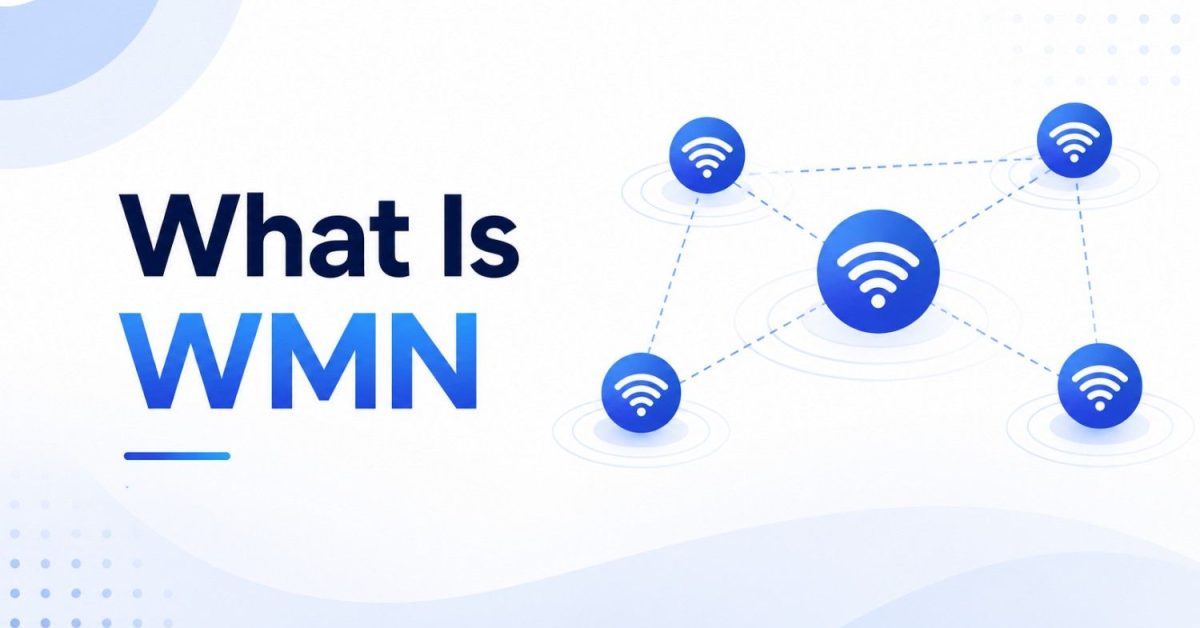
WMN stands for Wireless Mesh Network, a network built from multiple connected devices called nodes that work together as a team to spread internet coverage across a home, building, or even a whole city. Unlike a traditional setup where one router does all the work, every node in a mesh can pass data along to its neighbors, so the signal reaches places a single router never could. If a node fails, traffic simply flows around it, which is why mesh networks are known for healing themselves.
The other uses of this word: in casual texting and social media, “wmn” is sometimes just shorthand for “women.” But in any technology context, WMN means wireless mesh network, and that is what this guide explains, in the simplest terms possible.
The Easy Way to Picture a Mesh Network
Think of a bucket brigade putting out a fire. One person at the water source cannot throw water far enough, so a line of people passes buckets hand to hand until the water reaches the flames.
A WMN works the same way with your internet. One node connects to your modem (the water source). The other nodes pass the data along, hop by hop, until it reaches your laptop in the attic or the camera in the garden. Each node is both a receiver and a relay, and together they form a web of coverage instead of a single circle around one router.
You have probably seen consumer versions of this in stores: products like Google Nest Wifi, Amazon Eero, and TP-Link Deco are all wireless mesh networks packaged into friendly kits.
Router vs Extender vs Mesh: Which Is Which?
This is the comparison most people actually need, so here it is upfront:
| Setup | How It Works | Best For | Weakness |
|---|---|---|---|
| Single router | One device broadcasts to everything | Small apartments | Dead zones in bigger spaces |
| Wi-Fi extender | Repeats the router’s signal | One stubborn dead spot | Often halves speed, separate network name |
| Mesh network (WMN) | Team of nodes sharing one seamless network | Multi floor homes, offices, large spaces | Costs more than one router |
The practical difference you feel: with mesh, your whole space has one network name, your phone hops between nodes automatically as you walk around, and video calls stop dropping when you move to another floor.
How a Wireless Mesh Network Actually Works
Three roles make up every WMN:
- The gateway node plugs into your modem and brings the internet in. Only this node needs a wired connection.
- Mesh nodes (also called satellites or mesh routers) spread through the space, talking to each other wirelessly and relaying data toward wherever it needs to go.
- Clients are your devices: phones, laptops, TVs, smart bulbs, and cameras, which connect to whichever node gives them the strongest signal.
The intelligence lives in the routing. Nodes constantly measure the quality of their links to each other and choose the best path for every piece of data. When you add a node, it joins automatically and the paths update. When a node loses power, the network recalculates routes within moments, and traffic flows around the gap. That self healing behavior is the defining superpower of mesh design, and it is why hospitals, factories, and emergency responders rely on it.
Better systems also use a dedicated radio band just for node to node traffic, called backhaul, which prevents the relay work from stealing speed from your devices. This is what “tri band” means on mesh product boxes, and it is the single most worthwhile upgrade in consumer mesh.
The Honest Trade Offs
Mesh is not magic, and an honest guide should say so.
It does not increase your internet speed. Your provider’s speed is the ceiling. Mesh just delivers that speed to every corner instead of one room.
Every hop costs a little. Data passing through multiple nodes picks up small delays, which almost never matters for streaming and calls, but is why serious gamers still prefer a wired connection.
Shared airwaves get crowded. In dense deployments, nodes can interfere with each other without good planning, which is where dedicated backhaul earns its price.
It costs more. A three node kit costs several times a decent single router, which is only worth it if you actually have a coverage problem.
Where WMNs Show Up in the Real World
Homes: the classic use, ending dead zones across floors, thick walls, basements, and yards, while handling dozens of smart devices at once.
Smart cities: mesh routers on light poles and rooftops connect traffic systems, public Wi-Fi, and environmental sensors without trenching cables through streets.
Industry: warehouses and factories full of metal and moving machinery use mesh to keep sensors, scanners, and autonomous robots connected where cables are impossible.
Emergencies and remote areas: portable solar powered mesh kits restore communication after disasters, and community mesh projects bring broadband to villages that fiber never reached.
WMN Meets AI: Where This Is Heading
Here is the part most explanations skip, and it is where mesh networking gets genuinely exciting.
- Mesh networks are the nervous system of AI systems. All the intelligence in a smart factory or smart building depends on data arriving from hundreds of sensors, and WMNs are usually what carries it. When we build AI monitoring and automation for clients, the pattern is always sensors feeding data over a resilient network into AI that spots problems and triggers actions. The network layer is invisible in the demo and critical in production. Wiring that flow, from device data to AI decisions to alerts your team actually sees, is the core of our AI automation and workflow integration work, and for products built around IoT data, our custom AI development service covers the full stack.
- AI is also managing the mesh itself. Modern systems increasingly use AI to predict congestion, reshape routes before problems appear, and place traffic on the cleanest channels, turning self healing into self optimizing.
- And edge computing binds the two. Processing data on or near the mesh nodes, instead of sending everything to distant cloud servers, cuts delay for time critical decisions, which is exactly what AI powered cameras, robots, and safety systems need.
Even the security research connects forward: work on protecting long lived mesh deployments now includes post quantum encryption, part of the same shift we covered in our guide to the latest breakthroughs in quantum computing.
Do You Actually Need a Mesh Network?
A quick checklist. Mesh is worth it if two or more of these are true:
- Your space has multiple floors or thick walls
- There are rooms where Wi-Fi noticeably drops or dies
- More than 20 devices connect to your network
- Video calls stutter when you move around the space
- You want coverage in a yard, garage, or outbuilding
If you live in a small flat with a good router and no dead zones, save your money. A mesh kit fixes coverage problems, and you cannot fix a problem you do not have.
Setting One Up in Five Steps
- Connect the main node to your modem with an Ethernet cable.
- Set your network name and password in the system’s mobile app.
- Place additional nodes roughly halfway between the main node and your dead zones, not inside the dead zones themselves, since a node needs decent signal to relay it.
- Let the system self configure for a few minutes.
- Walk the space with your phone, test the weak spots, and reposition nodes if needed.
Two settings worth enabling on day one: automatic firmware updates, and a separate guest network for visitors and smart home gadgets, which keeps less trusted devices away from your computers.
Frequently Asked Questions
What does WMN stand for?
In technology, WMN stands for Wireless Mesh Network, a network of cooperating nodes that spread coverage across a space and route data around failures automatically.
What does WMN mean in texting?
In casual messages and social media, “wmn” is usually just an abbreviation for “women.” The technical meaning, wireless mesh network, applies in any networking or IT context.
Is WMN the same as mesh Wi-Fi?
Nearly. WMN is the general architecture, used everywhere from homes to smart cities. Mesh Wi-Fi usually refers to consumer kits like Eero or Nest Wifi, which are WMNs packaged for home use.
Does a mesh network make my internet faster?
No. Your internet plan sets the maximum speed. A mesh network delivers that speed consistently to every room instead of losing it to distance and walls, which feels faster in the dead zones.
How many mesh nodes do I need?
Most apartments need one or two. A typical two story house needs two or three, and larger properties with yards or outbuildings need more. Wall materials matter as much as square footage.
Are wireless mesh networks secure?
Yes, when configured properly: use WPA3 or WPA2 encryption, a strong admin password, automatic updates, and a separated guest network. Businesses add device authentication and network monitoring on top.
