
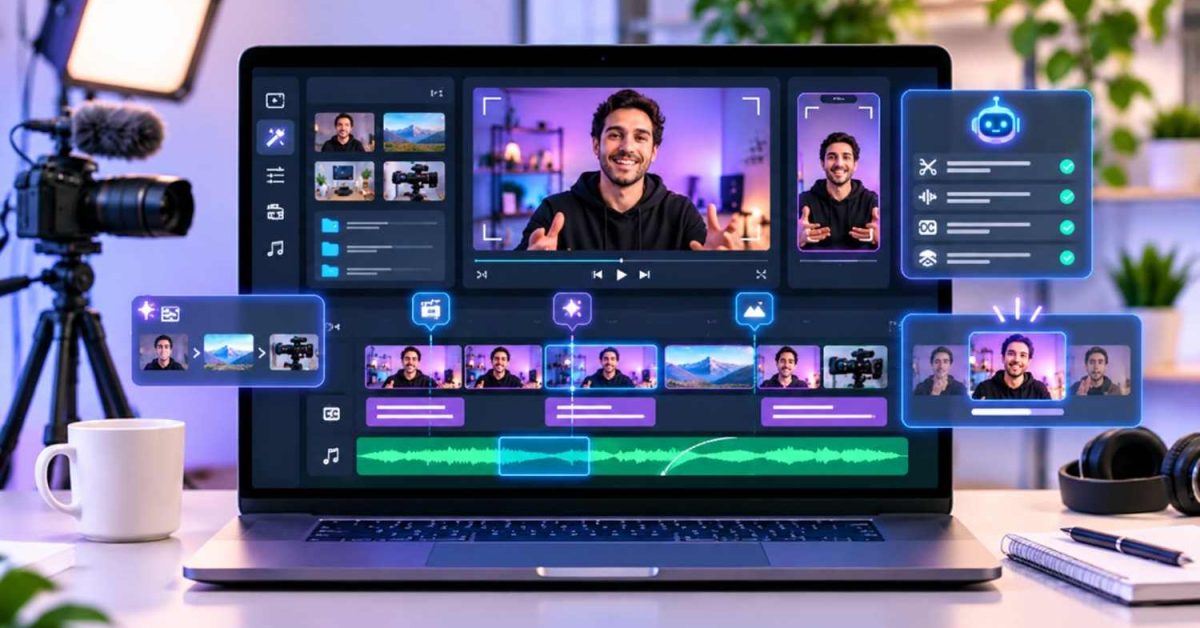
Creating YouTube videos involves more than recording footage. Creators need to remove mistakes, organize clips, add captions, adjust audio, and prepare videos for publishing. These tasks can take hours, especially when working with longer recordings.
AI video editors help simplify this process by handling repetitive tasks such as removing pauses, generating subtitles, organizing footage, and finding useful moments. Some tools also support professional timelines, color grading, and audio editing.
Here are seven AI video editors worth exploring in 2027, based on the features and editing capabilities available in 2026.
Quick Comparison of the Best AI Video Editors for YouTube
| Tool | Best for | Key strength |
|---|---|---|
| Invideo Editor | AI-assisted YouTube editing | AI agents and professional timeline |
| Descript | Talking-head videos | Transcript-based editing |
| Adobe Premiere Pro | Professional YouTube production | Advanced editing and AI tools |
| CapCut | YouTube Shorts | Captions and social video editing |
| DaVinci Resolve | Cinematic YouTube videos | Color grading and audio editing |
| Filmora | Beginner-friendly editing | AI features and visual effects |
| VEED | Browser-based video editing | Automatic subtitles and online editing |
1. Invideo Editor
Invideo Editor is a browser-based YouTube video editor that combines professional timeline editing with AI editing agents. It lets creators handle routine editing tasks with AI while keeping control over the final video.
Creators can upload footage, B-roll, music, and graphics, then ask AI agents to organize clips, identify usable takes, remove filler words and pauses, and assemble an editable rough cut. The agents can also log footage by dialogue, actors, props, and camera angles, match a reference video’s pacing, and align cuts with music.
The multitrack timeline supports trimming, cropping, speed adjustments, automatic captions, background replacement, stabilization, keyframe animation, and transitions. For finishing, creators get color wheels, curves, LUTs, audio mixing, and loudness controls. Invideo also supports external AI agents, real-time collaboration, chapter markers, and converting long videos into vertical Shorts.
Creators can export MP4 videos up to 4K at 24, 30, or 60 fps, with adjustable bitrates, or continue editing in Premiere Pro, Final Cut Pro, or DaVinci Resolve. Manual timeline editing is free, including a 1080p export without a watermark. Advanced agent access and AI generation depend on the selected plan.
Key features:
- AI footage logging, rough-cut assembly, and reference-based editing
- Multitrack timeline with captions, transitions, and keyframes
- Professional color grading, audio mixing, and export controls
- YouTube Shorts, chapters, and real-time collaboration
Best for: YouTube creators who want AI automation with professional editing control.
Limitations: Advanced AI agent access and generation features depend on the subscription plan.
2. Descript
Descript is an AI-powered video editor designed around transcript-based editing. Instead of working only with clips on a timeline, creators can edit their recordings by changing the written transcript.
The platform automatically transcribes uploaded footage, letting users remove unwanted sentences, filler words, and repeated takes. It also offers Studio Sound for improving dialogue, automatic captions, screen recording, and AI-assisted clip creation.
Descript is especially useful for YouTube interviews, podcasts, tutorials, and talking-head videos where spoken content drives the editing process. Creators who need narration can also explore AI voice generators to create voiceovers without recording every line themselves. Its AI assistant, Underlord, can help with several editing tasks and content improvements.
However, creators working on complex visual sequences may prefer a traditional timeline editor with more detailed effects and color controls. AI usage and export allowances also depend on the subscription.
Key features:
- Transcript-based video editing
- Automatic filler-word and retake removal
- Studio Sound for improving voice recordings
- AI captions and short-clip creation
Best for: YouTubers producing interviews, educational videos, and talking-head content.
Limitations: Detailed visual editing may require another tool, while advanced AI features have usage limits.
3. Adobe Premiere Pro
Adobe Premiere Pro is professional video editing software used for detailed post-production. It combines a multitrack timeline with AI-assisted tools that help creators manage demanding editing projects.
Its text-based editing features let users work with transcripts, while automatic transcription and caption tools reduce manual work. AI-powered masking can track subjects, and Generative Extend can add frames to clips when a transition needs extra footage.
Premiere Pro also supports multicamera editing, color correction, audio mixing, motion graphics, and integration with other Adobe applications. These capabilities make it useful for documentary-style YouTube videos, tutorials, and productions with several cameras.
The main drawback is its learning curve. New editors may need time to understand its tools, and Premiere Pro requires a paid subscription. Certain generative features may also have separate access limits.
Key features:
- AI-powered masking and subject tracking
- Text-based editing and automatic captions
- Generative Extend for video and audio
- Multicamera editing and professional color controls
Best for: Experienced YouTube creators producing detailed, professional videos.
Limitations: Requires a subscription and can take time for beginners to learn.
4. CapCut
CapCut is a video editing platform popular for short-form content. It provides AI-assisted tools alongside timeline editing features, which makes it useful for creators producing YouTube Shorts.
The editor includes automatic captions, background removal, voice enhancement, text-to-speech, and tools for cutting and arranging clips. Creators can also add transitions, music, filters, and animated text to make videos more engaging.
CapCut supports desktop, mobile, and web-based editing workflows. Its templates and caption styles are helpful for creators who regularly publish short tutorials, gaming highlights, lifestyle clips, and social media content. Creators can also learn how to resize videos for different platforms when adapting their YouTube content for Shorts, Instagram Reels, or TikTok.
Although CapCut can handle longer videos, its quick-editing tools are most convenient for short-form production. Some effects, AI features, and export options require paid access, which may affect creators working on a budget.
Key features:
- Automatic captions and animated text
- AI background removal and voice enhancement
- Video templates, effects, and transitions
- Editing tools for mobile, desktop, and web
Best for: Creators making YouTube Shorts, gaming clips, and social media videos.
Limitations: Some advanced features require a paid plan, and feature availability varies by platform.
5. DaVinci Resolve
DaVinci Resolve is a professional video editor known for its advanced color grading and post-production tools. It combines editing, visual effects, motion graphics, audio post-production, and color correction in one application.
The software provides a detailed timeline for managing clips, transitions, titles, and audio tracks. Its AI-assisted features include tools for subject isolation, audio cleanup, smart reframing, and other editing tasks, with several advanced capabilities available in DaVinci Resolve Studio.
The color grading workspace offers precise control over exposure, contrast, saturation, and the overall visual style. Its Fairlight audio tools also help creators work with dialogue, music, and sound effects.
DaVinci Resolve is suitable for cinematic YouTube videos, travel content, documentaries, and professional productions. However, its advanced interface requires practice, and demanding projects can benefit from powerful computer hardware.
Key features:
- Professional color grading and correction
- AI-assisted audio and visual editing
- Multitrack timeline and visual effects
- Fairlight tools for audio mixing
Best for: YouTubers creating cinematic videos, documentaries, and high-quality productions.
Limitations: Advanced AI features require the paid Studio edition, and complex projects can demand powerful hardware.
6. Filmora
Filmora is a video editor designed to make everyday editing easier while offering a range of AI tools. Its interface lets creators arrange footage, add effects, adjust sound, and prepare videos without learning complicated editing workflows.
The platform includes AI-assisted features such as automatic reframing, speech-to-text captions, silence detection, smart scene cutting, and media analysis. These tools help creators find useful footage, remove unnecessary sections, and adapt videos for YouTube Shorts.
Filmora also provides transitions, filters, titles, audio controls, and color adjustment tools. Its ready-made effects and templates are useful for tutorials, vlogs, product reviews, and educational videos.
While Filmora offers many convenient features, some AI tools require additional credits or paid access. Creators should check which features are included in their selected plan before starting larger projects.
Key features:
- AI media analysis and smart scene cutting
- Automatic reframing for YouTube Shorts
- Speech-to-text captions and silence detection
- Transitions, templates, and visual effects
Best for: Beginners and intermediate YouTubers who want accessible AI-assisted editing.
Limitations: Some AI features have separate usage allowances, and advanced controls require more learning.
7. VEED
VEED is an online video editing platform that helps creators edit, subtitle, and prepare videos directly in their browsers. It combines basic editing controls with AI features designed to simplify content production.
Users can trim and combine clips, add text, create subtitles, adjust audio, and prepare videos for different platforms. VEED also provides AI-powered transcription, voice cleanup, background removal, and tools for generating or repurposing video content.
The platform works well for educational videos, screen recordings, product demonstrations, and short YouTube content. Its browser-based interface is convenient for creators who prefer not to install desktop editing software.
However, advanced editing features, AI generation, and export options can depend on the subscription. Creators working with complex timelines or detailed color grading may find dedicated professional editing software more suitable.
Key features:
- Browser-based video editing
- Automatic subtitles and transcription
- AI voice cleanup and background removal
- Video templates and content repurposing
Best for: YouTubers creating tutorials, educational videos, and short online content.
Limitations: Advanced AI features and export options depend on the plan.
How to Choose the Right AI Video Editor for YouTube
The right editor depends on the type of content you create. Talking-head creators may benefit from transcript editing and silence removal, while YouTube Shorts creators may prefer automatic captions and vertical reframing.
For longer videos, look for tools that support multitrack editing, audio mixing, color correction, and AI-assisted rough cuts. If you’re creating videos for a business, consider how consistent video content can help increase brand awareness across YouTube and other social platforms. Also consider collaboration features, export resolution, pricing, and whether AI features have separate usage limits.
The best choice is the one that fits your production process while leaving enough control to refine the finished video.
Frequently Asked Questions
What is the best AI video editor for YouTube creators?
Invideo Editor is a strong overall option for creators who want AI-assisted rough cuts and professional timeline controls. Descript is useful for transcript editing, while Premiere Pro and DaVinci Resolve suit detailed post-production.
Can AI edit an entire YouTube video?
AI can handle tasks such as organizing footage, removing pauses, creating rough cuts, and adding captions. However, creators should review the final video to check pacing, accuracy, and visual quality.
Are there free AI video editors for YouTube?
Yes. Several tools offer free editing features or limited free plans. Invideo offers free manual timeline editing, while DaVinci Resolve has a free desktop edition. Advanced AI tools may require payment.
Can AI video editors turn long videos into YouTube Shorts?
Yes. Tools such as invideo Editor, CapCut, and Filmora support workflows for turning longer videos into vertical clips. Features may include automatic reframing, captions, and selecting useful moments.
Conclusion
AI video editors help YouTube creators spend less time on repetitive tasks and more time improving their content. Each platform offers different strengths, from transcript-based editing and automatic captions to professional color grading and advanced timelines.
Creators should choose based on their video format, editing experience, and production needs. The right combination of AI assistance and manual controls can make it easier to produce consistent, high-quality YouTube videos.
